Introduction to POS Systems for Restaurants

Welcome to our comprehensive guide on POS Systems for Restaurants. As a leading manufacturer in China, we provide advanced point-of-sale solutions for food service businesses worldwide.

Why Choose Professional POS Systems?

Professional restaurant POS systems offer:

  • Streamlined order management
  • Real-time inventory tracking
  • Integrated payment processing
  • Sales analytics and reporting

Our Product Range

We specialize in POS Systems for Restaurants including touchscreen terminals, handheld devices, and kitchen display systems. Our solutions serve quick-service, fast-casual, and full-service restaurants.

Our POS systems process 10,000+ transactions per hour with 99.9% uptime reliability. Features include table management, online ordering integration, and customer loyalty programs.

System Features

Our restaurant POS solutions include:

  • Cloud-based management
  • Multi-location support
  • Menu engineering tools
  • Employee scheduling

POS System Products integrate with major payment processors, delivery platforms, and accounting software.

Support and Training

We provide 24/7 technical support, on-site training, and remote diagnostics. Our systems are used in 5,000+ restaurants across 30+ countries.

Contact us for demos and customized solutions.

Conclusion

Choosing the right POS system partner ensures operational efficiency and growth. With our technology and support, we help restaurants streamline operations and increase profitability.

POS Systems for Restaurant Chains: Complete Guide to Multi-Location Management

POS Systems for Restaurant Chains: Complete Guide to Multi-Location Management

Modern POS systems for restaurant chains have revolutionized how multi-location food service operations manage their businesses. As the global restaurant POS market reaches $15.8 billion in 2023, chain operators increasingly rely on integrated technology platforms that connect front-of-house operations, back-of-house management, headquarters oversight, and customer engagement into unified ecosystems.

Understanding Multi-Location POS Requirements

Centralized Management Capabilities

Restaurant chains require POS systems fundamentally different from single-location solutions:

  • Real-time synchronization: Cloud-based systems updating sales data across all locations within 2-5 seconds, enabling headquarters to monitor performance instantaneously
  • Unified menu management: Centralized control allowing menu updates, pricing changes, and promotional launches across 50+ locations simultaneously, reducing implementation time from weeks to hours
  • Inventory tracking: Multi-store inventory systems monitoring stock levels across locations with automated reorder triggers when supplies fall below predefined thresholds
  • Performance analytics: Comparative reporting tools enabling chain operators to identify top-performing locations, underperforming units, and optimization opportunities

Scalability and Architecture

Enterprise-grade POS terminal systems support growing chains:

  • Location capacity: Systems supporting 5 to 500+ locations without performance degradation, with architectural designs accommodating future expansion
  • User management: Role-based access controls allowing 50-1,000+ users with customized permissions for managers, staff, and corporate personnel
  • Transaction volume: Processing capabilities handling 10,000-100,000 daily transactions across all locations during peak periods
  • Data storage: Cloud infrastructure retaining 3-7 years of transaction history for compliance, analysis, and forecasting

Core Features for Chain Operations

Sales and Financial Management

Chain-specific POS features streamline financial operations:

  • Daily sales consolidation: Automated reporting aggregating revenue across all locations, reducing manual reconciliation time by 70-85%
  • Payment processing integration: Unified payment gateways processing credit cards, mobile payments, and digital wallets with transaction fees averaging 2.5-3.5% per sale
  • Tip distribution: Automated gratuity allocation and tip pooling calculations across multiple staff members and locations
  • Tax compliance: Multi-jurisdiction tax calculations handling varying rates across different cities and states, ensuring regulatory compliance

Inventory and Supply Chain Management

Integrated inventory systems optimize supply chain operations:

  • Central kitchen coordination: Production planning systems managing commissary operations supplying multiple restaurant locations
  • Vendor management: Centralized purchasing platforms negotiating volume discounts averaging 12-18% across chain-wide procurement
  • Waste tracking: Food cost analysis identifying waste patterns, with top-performing chains reducing food waste by 20-30% through data-driven interventions
  • Automatic reorder triggers: Inventory management systems automatically generating purchase orders when stock levels reach predefined minimums

Franchise Management Capabilities

Royalty and Fee Tracking

Restaurant POS systems designed for franchised operations include:

  • Royalty calculation: Automated computation of franchise fees based on gross sales, typically 4-8% of revenue, with direct remittance to franchisors
  • Marketing fund contributions: Tracking and collection of marketing fund fees, usually 1-3% of sales, funding national advertising campaigns
  • Performance benchmarking: Comparative analytics ranking franchisee performance against chain averages, identifying coaching opportunities
  • Compliance monitoring: Automated tracking of operational standards, menu adherence, and brand consistency across franchise locations

Multi-Entity Reporting

Comprehensive reporting tools support franchise operations:

  • Unit-level P&L statements: Profit and loss reports for individual locations, enabling franchisees to monitor profitability with detail down to menu item margins
  • Chain-wide analytics: Aggregate performance dashboards showing system-wide trends, comparative metrics, and market share data
  • Drill-down capabilities: Hierarchical reporting allowing corporate users to analyze performance from chain level to region to individual locations
  • Custom report builders: Flexible reporting tools enabling users to create ad-hoc reports addressing specific business questions

Integration Ecosystems

Third-Party Delivery Platforms

Modern chain POS systems integrate with delivery services:

  • Order aggregation: Unified dashboards managing orders from DoorDash, Uber Eats, Grubhub, and other platforms, reducing order entry errors by 90%
  • Menu synchronization: Automatic menu updates across all delivery platforms when items are added, removed, or pricing changes
  • Delivery analytics: Performance tracking for each delivery platform, enabling data-driven decisions about partnership continuation

Enterprise System Connections

Chain operations require integration with corporate systems:

  • ERP integration: Data pipelines feeding sales, inventory, and financial data into SAP, Oracle, or Microsoft Dynamics systems for corporate reporting
  • Accounting software: Automated journal entry creation feeding into QuickBooks Enterprise, Sage, or other accounting platforms
  • HR systems: Workforce management integration with payroll systems like ADP, Paychex, or Workday, streamlining labor cost tracking
  • Business intelligence: Data warehousing connections enabling advanced analytics with Tableau, Power BI, or custom BI platforms

Hardware and Infrastructure

Terminal Requirements

Chain operations deploy specialized hardware:

  • All-in-one terminals: Touchscreen systems with 15-inch displays, integrated receipt printers, and payment processing capabilities
  • Kitchen display systems: Back-of-house monitors showing order details, preparation times, and modifications, reducing ticket times by 20-35%
  • Mobile POS devices: Handheld terminals enabling tableside ordering and payment processing, increasing table turn rates by 15-20%
  • Self-service kiosks: Customer-facing ordering stations reducing labor costs by 10-15% while increasing average order values by 20-30%

Network and Security

Enterprise POS deployments require robust infrastructure:

  • Redundant connectivity: Backup internet connections ensuring 99.9% uptime with automatic failover to cellular networks
  • PCI DSS compliance: Security measures meeting Payment Card Industry Data Security Standards, protecting customer payment information
  • End-to-end encryption: Data protection from terminal to processor, minimizing breach liability and protecting brand reputation
  • Regular security audits: Quarterly vulnerability assessments and annual penetration testing identifying potential security risks

Cost Analysis and ROI

Implementation Costs

Chain POS investments vary by scope:

  • Software licensing: $50-200 per terminal per month for cloud-based systems, or $2,000-8,000 one-time license fees for on-premises solutions
  • Hardware costs: $1,500-5,000 per terminal for all-in-one systems, with additional $500-2,000 for kitchen display equipment
  • Implementation services: $5,000-50,000 for system configuration, data migration, and deployment across multiple locations
  • Training programs: $1,000-10,000 for staff training, with ongoing costs for new employee onboarding

Return on Investment

Quantifiable benefits justify POS investments:

  • Labor cost reduction: Automated scheduling and optimized staffing reducing labor costs by 8-15% through improved efficiency
  • Inventory savings: Waste reduction and improved purchasing reducing food costs by 3-8% through better inventory management
  • Sales increases: Improved order accuracy and faster service increasing customer satisfaction scores by 15-25%, driving repeat business
  • Administrative efficiency: Automated reporting and consolidation reducing administrative time by 60-80%, freeing managers for guest-facing activities

Selection and Implementation Strategy

Vendor Evaluation Criteria

Chain operators should assess potential vendors:

  • Chain-specific experience: Demonstrated success with similar-sized restaurant chains, with references from comparable operations
  • Scalability proof: Technical architecture supporting projected growth over 5-7 years without system replacement
  • Support infrastructure: 24/7 technical support with average response times under 15 minutes for critical issues
  • Integration capabilities: Proven integration with existing enterprise systems and planned future technology investments

Conclusion

Selecting the right POS system for restaurant chains requires careful evaluation of centralized management capabilities, scalability requirements, integration needs, and total cost of ownership. Modern cloud-based platforms offer restaurant groups powerful tools for real-time visibility, inventory optimization, franchise management, and data-driven decision-making across multi-location operations. By partnering with experienced vendors and following structured implementation approaches, chain operators can achieve significant operational improvements, cost reductions, and enhanced customer experiences supporting sustainable growth strategies.

How to Choose the Right China Self-Service Kiosk Manufacturer?

Introduction

The self-service kiosk industry is experiencing unprecedented growth worldwide. From retail stores and restaurants to hospitals, airports, hotels, banks, and government institutions, businesses are increasingly adopting self-service kiosks to improve efficiency, reduce labor costs, and enhance customer experiences.

As global demand rises, China has become the world’s leading manufacturing hub for self-service kiosks. Chinese manufacturers offer advanced technology, flexible customization, competitive pricing, and large-scale production capabilities. However, with hundreds of suppliers available, choosing the right China self-service kiosk manufacturer can be challenging.

A wrong choice may result in poor product quality, delayed delivery, technical issues, or lack of after-sales support. Therefore, businesses must carefully evaluate potential suppliers before making a decision.

In this guide, we’ll explain the key factors to consider when selecting a China self-service kiosk manufacturer and why Elanda has become a trusted partner for global customers seeking reliable self-service kiosk solutions.


Why Are More Businesses Buying Self-Service Kiosks from China?

China has established itself as a global leader in kiosk manufacturing for several reasons:

Cost Efficiency

Chinese manufacturers benefit from mature supply chains, lower production costs, and economies of scale, enabling businesses to achieve better ROI without sacrificing quality.

Advanced Manufacturing Capabilities

Modern Chinese factories utilize:

  • CNC machining
  • Automated sheet metal fabrication
  • Precision laser cutting
  • Powder coating systems
  • Automated assembly lines

These technologies ensure high-quality kiosk production.

Strong Supply Chain Ecosystem

China’s electronics ecosystem allows manufacturers to source:

  • Touchscreens
  • Industrial PCs
  • Printers
  • Barcode scanners
  • QR code readers
  • Payment terminals
  • Cameras
  • NFC modules

quickly and efficiently.

Customization Flexibility

Most businesses require unique kiosk solutions tailored to their operations. Chinese manufacturers typically offer extensive OEM and ODM customization services.


What Is a Self-Service Kiosk Manufacturer?

A self-service kiosk manufacturer designs, develops, assembles, and delivers interactive kiosk systems that allow customers to complete transactions or access services independently.

Common kiosk applications include:

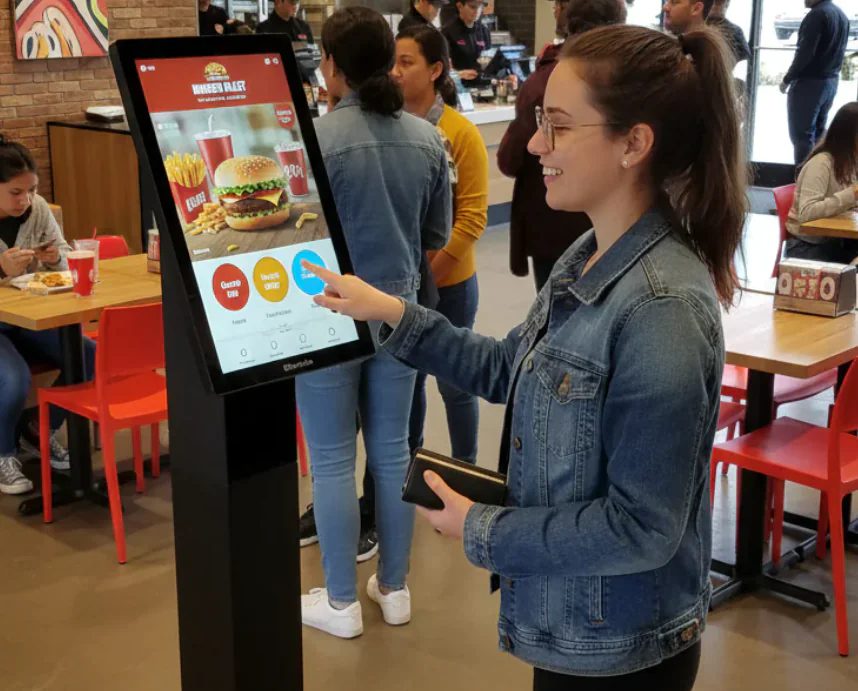
  • Self-ordering kiosks
  • Self-checkout kiosks
  • Payment kiosks
  • Ticketing kiosks
  • Hotel check-in kiosks
  • Healthcare kiosks
  • Information kiosks
  • Visitor management kiosks
  • Queue management kiosks
  • Smart retail kiosks

A professional manufacturer provides not only hardware but also complete kiosk solutions including software integration and technical support.


Key Factors When Choosing a China Self-Service Kiosk Manufacturer

1. Evaluate Manufacturing Experience

Experience matters significantly in kiosk production.

Manufacturers with many years of industry experience typically have:

  • Mature production processes
  • Better quality control systems
  • Strong engineering capabilities
  • Extensive project experience

When evaluating suppliers, ask:

  • How long have they been manufacturing kiosks?
  • What industries do they serve?
  • How many projects have they completed?

Experienced manufacturers are more capable of handling complex customization requirements.


2. Check Product Portfolio

A reliable supplier should offer multiple kiosk categories.

Look for manufacturers capable of producing:

Self-Ordering Kiosks

Widely used in:

  • Fast food restaurants
  • Coffee shops
  • Quick-service restaurants

Self-Checkout Kiosks

Common in:

  • Supermarkets
  • Retail stores
  • Convenience stores

Payment Kiosks

Used for:

  • Bill payments
  • Ticket purchases
  • Financial transactions

Interactive Information Kiosks

Popular in:

  • Shopping malls
  • Airports
  • Government buildings

A diverse product range demonstrates strong engineering capabilities.


3. Assess Customization Capabilities

Every business has unique operational requirements.

Choose a manufacturer that offers:

Hardware Customization

Including:

  • Screen size
  • Cabinet design
  • Color options
  • Branding
  • Peripheral integration

Software Compatibility

Support for:

  • Windows
  • Android
  • Linux

Functional Customization

Integration with:

  • QR code scanners
  • RFID readers
  • NFC modules
  • Receipt printers
  • Cameras
  • Payment terminals

The ability to deliver fully customized solutions is a major competitive advantage.


4. Review Quality Control Processes

Quality directly affects kiosk lifespan and maintenance costs.

Ask manufacturers about:

Incoming Material Inspection

Ensuring components meet specifications before production.

In-Process Inspection

Monitoring production quality throughout manufacturing.

Final Product Testing

Testing should include:

  • Touchscreen functionality
  • Thermal printer operation
  • Scanner performance
  • Payment system integration
  • Network connectivity
  • Stability testing

Reliable manufacturers maintain strict quality control standards throughout production.


5. Verify Certifications

International certifications demonstrate product compliance and safety.

Look for manufacturers offering products with:

  • CE Certification
  • FCC Certification
  • RoHS Compliance
  • ISO 9001 Quality Management

These certifications are especially important for global deployment.


6. Evaluate R&D and Engineering Strength

Technology is constantly evolving.

Strong manufacturers invest heavily in:

  • Product innovation
  • User experience design
  • Software integration
  • AI-powered applications
  • Smart retail technologies

An experienced engineering team can help customers create future-proof kiosk solutions.


7. Consider Production Capacity

As your business grows, your supplier must be able to scale with you.

Questions to ask include:

  • Monthly production volume
  • Factory size
  • Number of assembly lines
  • Lead times

Large-scale manufacturing capacity ensures timely delivery for both small and bulk orders.


8. Review Global Project Experience

International experience indicates reliability.

Ask for case studies involving:

  • Retail chains
  • Restaurants
  • Hospitals
  • Hotels
  • Transportation systems

Manufacturers serving customers across multiple countries typically understand international compliance requirements and project management standards.


9. Examine After-Sales Support

Many buyers focus only on product pricing and overlook support services.

A good manufacturer should provide:

Technical Support

Remote troubleshooting assistance.

Spare Parts Supply

Fast replacement of key components.

Warranty Service

Comprehensive product warranties.

Software Support

System updates and integration assistance.

Strong after-sales support minimizes downtime and operational risks.


10. Compare Total Cost Instead of Unit Price

The cheapest kiosk is not always the most cost-effective.

Consider:

  • Product quality
  • Maintenance costs
  • Warranty coverage
  • Technical support
  • Product lifespan

A slightly higher initial investment often results in lower long-term operating costs.


Why Elanda Is a Leading Self-Service Kiosk Manufacturer in China

When evaluating China self-service kiosk manufacturers, businesses need a partner that combines innovation, quality, customization, and global service capabilities.

Elanda is a global leading Self-Service Kiosk Manufacturer provider in China, helping customers deploy intelligent self-service solutions across various industries.


Comprehensive Self-Service Kiosk Solutions

Elanda provides complete solutions including:

  • Self-ordering kiosks
  • Self-checkout kiosks
  • POS terminals
  • KDS systems
  • Interactive kiosks
  • Retail kiosks
  • Payment kiosks
  • Smart restaurant solutions

Instead of supplying hardware only, Elanda delivers end-to-end kiosk ecosystems.


Strong Customization Capabilities

Elanda offers OEM and ODM services tailored to customer requirements.

Customization options include:

Hardware Design

  • Screen sizes
  • Cabinet structures
  • Branding
  • Peripheral integration

Software Integration

  • Android systems
  • Windows platforms
  • Cloud connectivity
  • API integration

Industry-Specific Solutions

  • Restaurant self-ordering
  • Retail self-checkout
  • Hotel automation
  • Healthcare registration
  • Smart government services

Advanced Manufacturing Facilities

Elanda utilizes modern manufacturing technologies to ensure:

  • High production efficiency
  • Consistent quality
  • Fast delivery
  • Scalable production

Every kiosk undergoes rigorous testing before shipment.


Global Market Experience

Elanda serves customers across:

  • North America
  • Europe
  • Asia-Pacific
  • Middle East
  • Latin America

This international experience allows Elanda to understand diverse market requirements and compliance standards.


Professional Technical Support

Elanda’s support team assists customers throughout the project lifecycle:

Pre-Sales Consultation

Helping customers choose the right kiosk configuration.

Solution Design

Developing customized deployment plans.

Installation Support

Providing implementation guidance.

After-Sales Service

Delivering long-term technical assistance.


Questions to Ask Before Choosing a Kiosk Supplier

Before making a final decision, ask the manufacturer:

  1. Can you provide customization services?
  2. What certifications do your products have?
  3. What is your production capacity?
  4. What industries do you serve?
  5. Can you provide case studies?
  6. What warranty do you offer?
  7. How do you handle technical support?
  8. What are your lead times?
  9. Can you integrate third-party software?
  10. Do you support international shipping?

The answers will reveal whether the supplier can support your long-term business growth.


The kiosk industry continues evolving rapidly.

Emerging trends include:

  • AI-powered customer interaction
  • Facial recognition technology
  • Contactless payments
  • Mobile integration
  • Cloud management systems
  • Data analytics platforms
  • Smart retail automation

Businesses choosing a manufacturer today should ensure their supplier has the innovation capability to support future developments.


Conclusion

Selecting the right China self-service kiosk manufacturer is one of the most important decisions for businesses investing in digital transformation.

Rather than focusing solely on price, evaluate suppliers based on:

  • Manufacturing experience
  • Product quality
  • Customization capabilities
  • Engineering expertise
  • Certifications
  • Production capacity
  • After-sales support

A reliable partner will help reduce deployment risks while maximizing long-term ROI.

Elanda stands out as a global leading Self-Service Kiosk Manufacturer provider in China, offering innovative hardware, flexible customization, advanced manufacturing, and comprehensive self-service kiosk solutions for customers worldwide.

Whether you need a self-ordering kiosk, self-checkout kiosk, payment kiosk, POS terminal, or a fully customized smart retail solution, Elanda has the expertise and resources to help your business succeed in the rapidly evolving self-service industry.

POS System Integration: Complete Guide for Retail Business Operations

Understanding Modern POS Systems

Point of Sale systems have evolved from simple cash registers into comprehensive business management platforms that integrate sales, inventory, customer management, and analytics. Modern POS system technology enables retailers to streamline operations while gaining insights that drive business decisions.

Today’s retail environment demands efficient transaction processing, accurate inventory tracking, and seamless customer experiences. Advanced POS solutions address these requirements while providing the flexibility to adapt to changing business needs and technological developments.

Core System Components

Transaction Processing

Modern POS systems handle diverse payment types including credit cards, debit cards, mobile payments, and digital wallets. Integration with payment processors ensures secure, compliant transaction handling while minimizing processing times. The ability to accept all payment types improves customer convenience and reduces lost sales.

Transaction speed affects customer satisfaction and throughput capacity. Efficient point of sale hardware processes transactions in seconds, enabling high-volume operations during peak periods. System reliability ensures continuous operation without disruptive downtime.

Inventory Management Integration

Real-time inventory tracking updates stock levels as transactions occur, providing accurate visibility into product availability. Low stock alerts enable timely reordering before out-of-stock situations affect sales. Integration with supplier systems automates purchase order generation based on defined parameters.

Multi-location inventory management supports businesses operating multiple stores or warehouses. Centralized inventory visibility enables efficient stock transfers between locations. Understanding inventory across the organization supports optimal stocking strategies and reduces carrying costs.

Customer Relationship Features

Customer management capabilities enable building relationships that drive repeat business. Customer profiles store purchase history, preferences, and contact information. Loyalty programs reward frequent purchases while collecting valuable customer data. Targeted marketing based on purchase history increases campaign effectiveness.

Hardware Considerations

Terminal Selection

POS terminal selection depends on operational requirements including transaction volume, counter space, and mobility needs. Traditional countertop terminals serve fixed checkout locations. Mobile POS systems enable transaction processing anywhere in the store, supporting line-busting and floor sales.

All-in-one terminals combine display, processor, and peripherals in compact packages suitable for space-constrained environments. Modular systems allow customization with specific components including barcode scanners, receipt printers, and cash drawers. Selection balances functionality against cost and space requirements.

Peripheral Integration

Barcode scanners accelerate transaction processing while reducing pricing errors. Scanner selection considers scan speed, durability, and compatibility with existing systems. Wireless scanners provide flexibility for scanning items in carts or on shelves.

Receipt printers produce customer documentation and internal records. Thermal printers offer reliability and low operating costs. Impact printers support multi-part forms where duplicate copies are required. Printer selection considers print volume, paper costs, and integration requirements.

Software Features

Sales Reporting

Comprehensive reporting provides insights into sales performance across products, categories, time periods, and locations. Real-time dashboards display current metrics while historical reports support trend analysis. Export capabilities enable further analysis in spreadsheet applications.

Sales analytics identify top performers, slow movers, and seasonal patterns. This intelligence supports merchandising decisions, inventory planning, and promotional strategies. Understanding sales patterns enables proactive management rather than reactive responses.

Employee Management

Staff management features track employee hours, calculate payroll, and manage permissions. Time clock functionality eliminates separate time tracking systems. Role-based permissions control access to sensitive functions including voids, discounts, and reports.

Performance tracking measures employee sales, transaction counts, and other metrics. This data supports training decisions, incentive programs, and staffing optimization. Understanding individual performance enables targeted coaching and recognition.

Implementation Planning

Requirements Assessment

Successful implementation begins with thorough assessment of business requirements. Transaction volume determines hardware and software capacity needs. Product catalog complexity affects database design and management requirements. Integration needs identify connections to existing systems including accounting, e-commerce, and supplier platforms.

Budget planning considers both initial investment and ongoing costs including software subscriptions, hardware maintenance, and payment processing fees. Total cost of ownership analysis provides realistic understanding of long-term financial commitments.

Data Migration

Transitioning from existing systems requires careful data migration planning. Product data, customer information, and historical records must transfer accurately to the new system. Data cleansing before migration improves quality and reduces problems after implementation.

Parallel operation during transition provides fallback if problems arise. Gradual rollout limits disruption by transitioning manageable portions of the operation. Testing validates that migrated data functions correctly in the new system.

Training and Support

Staff Training

Comprehensive training ensures staff can effectively utilize system capabilities. Training programs should cover routine operations, error handling, and reporting functions. Hands-on practice builds confidence before live operation.

Ongoing training addresses new features and refreshes knowledge of existing capabilities. Training documentation supports self-service learning and reference. Investment in training maximizes return on system investment through effective utilization.

Technical Support

Support availability affects system reliability and business continuity. Service level agreements define response times for different issue severities. Remote support capabilities enable rapid diagnosis and resolution of many problems. On-site support addresses hardware issues requiring physical intervention.

Security and Compliance

Payment Security

PCI DSS compliance is mandatory for businesses handling payment card data. Modern POS systems incorporate security features including encryption, tokenization, and secure transmission protocols. Compliance validation requires regular security assessments and documentation.

Data breach prevention protects customer information and business reputation. Security best practices include network segmentation, access controls, and regular security updates. Understanding security requirements enables appropriate protection measures.

Data Protection

Customer data protection requires appropriate security measures and privacy policy compliance. Data encryption protects information at rest and in transit. Access controls limit data visibility to authorized personnel. Privacy regulations including GDPR and CCPA affect data handling requirements.

Integration Capabilities

Accounting Integration

Integration with accounting systems eliminates duplicate data entry and ensures financial accuracy. Sales data flows automatically to accounting records. Inventory adjustments update cost of goods sold calculations. Reconciliation processes verify that POS and accounting records match.

E-commerce Integration

Omnichannel operations require integration between POS and e-commerce platforms. Shared inventory prevents overselling across channels. Unified customer profiles provide consistent experiences regardless of purchase channel. Order management systems coordinate fulfillment across channels.

Future Technology Trends

Cloud-Based Systems

Cloud POS systems offer advantages including lower initial investment, automatic updates, and remote access. Data backup and disaster recovery are managed by service providers. Multi-location synchronization occurs automatically through cloud connectivity.

Artificial Intelligence

AI capabilities enhance POS functionality through predictive analytics, demand forecasting, and personalized recommendations. Machine learning improves forecast accuracy over time as systems learn from operational data. These capabilities support better decision-making across business functions.

Conclusion

Modern POS systems provide comprehensive business management capabilities that extend far beyond transaction processing. Selection and implementation require careful assessment of requirements, planning for integration, and attention to security and compliance. Working with experienced vendors ensures appropriate solutions and implementation support.

Investment in quality POS technology pays dividends through improved operational efficiency, better customer experiences, and enhanced business intelligence. As retail continues evolving, POS systems will play increasingly central roles in business success.

Hardware Specifications

Display and Interface

Touchscreen displays provide intuitive interfaces that reduce training time and improve transaction speed. Display size selection balances visibility against counter space consumption. Customer-facing displays enable customers to verify transaction details during processing. High-resolution displays support clear product images and promotional content.

Interface design affects operational efficiency and error rates. Well-organized screens group related functions logically. Quick-access buttons enable rapid entry of common items. Search functionality locates products quickly when browsing categories is impractical.

Processing Power

System performance depends on processor capability, memory, and storage. Modern POS systems utilize processors capable of handling complex operations including real-time inventory updates, customer database queries, and payment processing simultaneously. Adequate memory prevents slowdowns during high-volume periods.

Storage requirements vary with data retention needs and local caching requirements. Cloud-based systems reduce local storage requirements while maintaining offline capability for connectivity interruptions. Solid-state storage provides reliability and speed advantages over traditional hard drives.

Connectivity Options

Network Requirements

Reliable network connectivity is essential for modern POS operations. Cloud-based systems require consistent internet access for transaction processing and data synchronization. Redundant connectivity through multiple internet providers or cellular backup ensures continuous operation during primary connection failures.

Local network infrastructure supports peripheral connectivity and inter-store communication. Network security protects transaction data and prevents unauthorized access. Proper network design accommodates peak transaction volumes without bottlenecks.

Peripheral Connections

USB connections provide simple peripheral attachment with broad device support. Bluetooth enables wireless connectivity for mobile configurations. Ethernet connections offer reliable performance for fixed installations. Understanding connectivity requirements ensures compatible hardware selection.

Industry-Specific Solutions

Retail Operations

Retail POS systems handle diverse product catalogs with varying pricing structures. Promotion management applies discounts, BOGO offers, and loyalty rewards automatically at checkout. Gift card processing tracks balances and redemption across transactions. Return and exchange processing maintains accurate inventory and accounting records.

Restaurant Operations

Restaurant POS systems manage table assignments, course timing, and split checks. Kitchen display systems transmit orders directly to preparation areas without paper tickets. Menu modifications and special requests route correctly to appropriate stations. Tip management handles various distribution methods for service staff.

Cost Analysis

Initial Investment

Hardware costs include terminals, displays, scanners, printers, and cash drawers. Software licensing may involve one-time purchase or subscription pricing. Installation and configuration services ensure proper system operation. Training costs develop staff competency for effective utilization.

Ongoing Expenses

Software subscription fees cover updates, support, and cloud hosting. Payment processing fees represent a percentage of transaction value. Hardware maintenance and eventual replacement require budget allocation. Support contracts ensure rapid problem resolution when issues arise.

Implementation Timeline

Planning Phase

System selection requires evaluation of multiple vendors and solutions. Reference checks verify vendor capabilities and support quality. Contract negotiation establishes pricing, service levels, and implementation responsibilities. Timeline development coordinates various implementation activities.

Deployment Phase

Hardware installation positions equipment for optimal workflow. Software configuration adapts standard features to specific business requirements. Data migration transfers existing records to the new system. Testing validates proper operation before live deployment.

Return on Investment

Efficiency Gains

Faster transaction processing increases throughput capacity without additional staff. Automated inventory management reduces labor for stock tracking and ordering. Integrated reporting eliminates manual data compilation for business analysis. Error reduction prevents revenue leakage from pricing and calculation mistakes.

Revenue Enhancement

Improved customer experiences increase repeat business and referrals. Data-driven marketing targets promotions more effectively, improving response rates. Inventory optimization reduces stockouts that cause lost sales. These revenue improvements contribute to ROI justification.

Vendor Selection

Evaluation Criteria

Vendor assessment should consider system capabilities, industry experience, support quality, and financial stability. Demonstration sessions verify that systems meet specific requirements. Reference conversations with current users reveal real-world performance. Contract terms should clearly define responsibilities and remedies.

Partnership Development

Long-term vendor relationships support ongoing optimization and adaptation to changing needs. Regular business reviews ensure alignment between system capabilities and operational requirements. Proactive communication enables early identification of improvement opportunities. Strong partnerships maximize long-term value from system investments.

Mobile POS Systems: Complete Guide to Wireless Payment Processing and Business Management

Introduction to Mobile POS Systems

Mobile POS systems have transformed the retail and hospitality industries by freeing transactions from fixed checkout counters. These smartphone and tablet-based payment solutions enable businesses to process sales anywhere in the store, at pop-up events, or even at customer locations. As consumer expectations for fast, convenient transactions continue rising, mobile POS technology has become essential for businesses seeking competitive advantages in an increasingly dynamic marketplace.

The mobile POS market has experienced explosive growth, driven by advances in mobile hardware, cloud computing, and payment processing technology. Businesses of all sizes are adopting mobile POS solutions to improve customer experience, increase operational flexibility, and reduce infrastructure costs compared to traditional fixed-terminal systems.

How Mobile POS Systems Work

Mobile POS systems operate on smartphones or tablets running specialized POS applications. These apps connect to peripheral hardware including card readers, receipt printers, and barcode scanners through Bluetooth or wireless connections. Transaction data syncs with cloud-based servers in real-time, providing instant access to sales data, inventory updates, and customer information across all business locations.

The architecture of modern mPOS solutions leverages cloud computing for data storage and processing, eliminating the need for on-premise servers. This cloud-native approach provides automatic software updates, real-time data synchronization, and remote management capabilities that simplify multi-location operations.

Key Benefits

Enhanced Customer Experience

Mobile POS eliminates long checkout lines by enabling staff to process transactions anywhere in the store. Queue-busting capabilities allow employees to assist customers on the sales floor, reducing wait times and improving satisfaction. The ability to provide immediate product information, check inventory, and complete purchases creates a seamless shopping experience that builds customer loyalty.

Operational Flexibility

Unlike fixed POS terminals, mobile systems adapt to changing business needs instantly. Seasonal businesses can scale up during peak periods without permanent hardware investments. Pop-up shops, food trucks, and event vendors benefit from portable payment processing that works wherever business takes them.

Cost Efficiency

Mobile POS systems significantly reduce hardware and infrastructure costs compared to traditional terminal-based setups. Using consumer-grade tablets or smartphones as the primary computing device eliminates expensive proprietary hardware requirements. Cloud-based software eliminates server infrastructure and IT maintenance costs, while subscription pricing converts capital expenditures into predictable operational expenses.

Essential Features

Payment Processing

Modern mobile POS systems support comprehensive payment options including EMV chip cards, contactless payments, mobile wallets, and QR code payments. Integrated payment processing simplifies reconciliation and reduces the complexity of managing multiple payment providers. End-to-end encryption and tokenization ensure transaction security across all payment methods.

Inventory Management

Real-time inventory tracking synchronizes stock levels across all sales channels and locations. Mobile POS systems can update inventory instantly as transactions occur, preventing overselling and enabling accurate stock visibility. Low-stock alerts, automated reorder points, and supplier management features help businesses maintain optimal inventory levels without manual monitoring.

Customer Relationship Management

Built-in CRM capabilities enable businesses to track customer purchase history, preferences, and contact information. Loyalty program integration rewards repeat customers automatically, while targeted promotions based on purchase history drive additional sales. Customer profiles accessible at the point of sale enable personalized service that differentiates businesses from competitors.

Employee Management

Mobile POS systems include workforce management features such as time tracking, shift scheduling, and performance reporting. Role-based access controls ensure employees can only access functions appropriate to their position. Sales performance tracking by employee enables fair commission calculations and identifies training opportunities.

Industry Applications

Retail

Retail businesses use mobile POS for line-busting during peak hours, in-aisle product lookup, and clienteling on the sales floor. The combination of mobile payment processing and real-time inventory access empowers sales associates to serve customers more effectively while reducing the need for fixed checkout stations.

Restaurants and Food Service

Tableside ordering and payment improve restaurant service speed and table turnover rates. Servers can take orders and process payments at the table, eliminating trips to fixed terminals. Kitchen display system integration ensures orders transmit instantly to preparation staff, reducing errors and improving service quality.

Events and Field Sales

Trade show vendors, concert merchandise sellers, and field service businesses rely on mobile POS for payment processing in locations without traditional infrastructure. Cellular connectivity ensures reliable transaction processing regardless of venue networking capabilities, while offline mode captures transactions for later synchronization when connectivity is unavailable.

Security Considerations

Mobile POS security encompasses device security, application security, and data security. Device management features including remote wipe, passcode enforcement, and jailbreak detection protect business data if devices are lost or compromised. Application-level security includes role-based access controls and audit logging.

Payment security requires PCI DSS compliance, achieved through point-to-point encryption and tokenization that prevent sensitive card data from being stored on the mobile device. EMV compliance reduces counterfeit card fraud, while contactless payment support meets consumer expectations for fast, secure transactions.

Implementation Strategy

Successful mobile POS implementation requires careful planning. Network infrastructure assessment ensures adequate Wi-Fi or cellular coverage throughout the business premises. Hardware selection balances performance requirements with budget constraints. Staff training programs should cover both technical operations and customer interaction best practices for mobile service delivery.

Data migration from existing systems requires thorough testing to ensure inventory accuracy and customer data integrity. Parallel operation of old and new systems during transition provides a safety net while staff build confidence with the new platform.

Future Trends

Artificial intelligence integration will enhance mobile POS capabilities with predictive inventory management, automated customer insights, and intelligent staffing recommendations. Computer vision technology enables checkout-free shopping experiences, while augmented reality features could provide product information overlays visible through the mobile device camera.

Conclusion

Mobile POS systems have evolved from simple payment processing tools to comprehensive business management platforms that enhance customer experience, improve operational efficiency, and reduce costs. As technology continues advancing, mobile POS will become increasingly central to retail and hospitality operations. Businesses that adopt mobile POS technology position themselves for success in a market where flexibility, speed, and customer convenience are paramount.

Hardware Integration Options

Mobile POS systems connect with various hardware peripherals to create comprehensive transaction processing solutions. Card readers, receipt printers, barcode scanners, and cash drawers connect through Bluetooth or wireless protocols. Hardware integration flexibility allows businesses to configure systems matching their specific operational requirements.

Choosing compatible hardware requires consideration of connectivity standards, power requirements, and durability for the intended operating environment. Ruggedized peripherals withstand demanding retail and hospitality environments, while compact options suit space-constrained applications.

Data Analytics and Business Intelligence

Mobile POS platforms generate valuable transaction data that supports sophisticated business analytics. Sales reporting, inventory analysis, and customer behavior insights help businesses optimize operations and identify growth opportunities. Real-time dashboards provide immediate visibility into key performance metrics.

Advanced analytics capabilities extend to predictive insights using machine learning algorithms. Demand forecasting, optimal pricing recommendations, and customer segmentation help businesses make data-driven decisions that improve profitability and competitive positioning.

Regulatory Compliance Considerations

Mobile POS systems must comply with various regulatory requirements depending on industry and jurisdiction. Payment card industry data security standards (PCI DSS) govern how payment data is handled and protected. Healthcare applications must meet HIPAA requirements for patient data privacy. Food service operations face specific health code requirements for transaction documentation.

Working with vendors who understand regulatory requirements ensures that mobile POS implementations meet all applicable standards. Documentation of compliance measures supports audit requirements and provides evidence of due diligence in protecting sensitive data.

POS System Hardware Components: Complete Guide to Building Your Point of Sale Infrastructure

POS system hardware components form the physical infrastructure that powers modern retail and hospitality operations. Understanding these essential elements helps business owners make informed decisions when building or upgrading their point of sale systems for optimal performance and reliability.

Core POS Terminal Components

POS terminals serve as the central processing unit of your point of sale system. Modern terminals range from traditional desktop configurations to sleek all-in-one touch screen devices that integrate multiple functions into compact footprints suitable for various counter space constraints.

Terminal Types and Specifications

All-in-One Touch Screen Terminals
Integrated touch screen terminals combine CPU, display, and sometimes receipt printer into single units. These space-saving designs suit restaurants and retail stores with limited counter space. Screen sizes typically range from 15 to 22 inches, with multi-touch capabilities enabling intuitive operation. Processing power varies from basic Intel Celeron chips for simple transactions to Intel Core i5 or i7 processors for demanding applications.

Modular Terminal Systems
Modular configurations separate the computer, display, and peripherals, allowing customization and easier component replacement. This approach suits businesses anticipating future expansion or requiring specific hardware configurations for specialized applications. Upgrade paths remain open with modular systems, protecting initial investments.

Mobile POS Devices
Tablet-based mobile POS solutions enable staff to process transactions anywhere within the premises. These lightweight systems work well for tableside ordering in restaurants, pop-up retail locations, and businesses valuing customer interaction flexibility. Battery life and wireless connectivity reliability become critical considerations for mobile deployments.

Payment Processing Hardware

Card Readers and Payment Terminals
Modern payment terminals support EMV chip cards, contactless NFC payments, and magnetic stripe transactions. Integrated PIN pads enable debit card transactions requiring PIN entry. Countertop and wireless options accommodate different business configurations and customer interaction preferences.

Barcode Scanners
Handheld and presentation barcode scanners accelerate checkout processes while minimizing pricing errors. 1D scanners handle traditional barcodes, while 2D imaging scanners read QR codes and mobile device displays. Omni-directional presentation scanners enable rapid scanning without precise barcode alignment, improving throughput for high-volume retailers.

Cash Drawers
Heavy-duty cash drawers organize currency and coins while providing secure storage during business hours. Connection options include USB, serial, and printer-driven interfaces. Drawer configurations with multiple compartments accommodate various currency denominations and coin quantities.

Receipt Printing Solutions

Thermal Receipt Printers
Thermal printers dominate POS environments due to their speed, reliability, and low operating costs. Standard 80mm width printers handle most receipt requirements, while compact 58mm models suit space-constrained installations. Print speeds range from 150 to 300mm per second, with higher speeds reducing customer wait times.

Impact Dot Matrix Printers
Impact printers remain relevant for multi-part forms and kitchen printing applications where duplicate copies are required. These printers tolerate harsher environments including heat and humidity that might affect thermal print quality.

Customer Display Options

Pole Displays
Pole-mounted customer displays show transaction totals and item information during checkout. These displays build customer confidence by providing visibility into pricing and running totals. Vacuum fluorescent and LCD options offer varying visibility characteristics and mounting configurations.

Dual Screen Configurations
Operator and customer-facing touch screens enable interactive ordering, loyalty program enrollment, and payment selection. Customer displays increasingly support promotional content delivery during transaction processing, creating marketing opportunities at the point of sale.

Peripherals and Accessories

Scale Integration
Integrated weighing scales support grocery, deli, and other businesses selling products by weight. Scale data feeds directly into POS software, ensuring accurate pricing and reducing manual entry errors.

Kitchen Display Systems
Kitchen display systems (KDS) replace printed kitchen tickets with digital order displays. These systems route orders to appropriate preparation stations, track completion times, and provide real-time order status visibility. POS hardware solutions increasingly incorporate kitchen display integration for restaurant operations.

Cash Management Devices
Currency counters and counterfeit detectors streamline cash handling operations while protecting against fraud. These devices integrate with POS systems for automated reconciliation and reporting functions.

Connectivity and Networking

Wired Connections
Ethernet connectivity provides reliable, high-speed communication between POS components and backend systems. USB connections interface peripherals to terminals with standardized cabling. Serial connections remain common for legacy devices requiring RS-232 communication.

Wireless Integration
WiFi-enabled devices offer installation flexibility and support mobile operation. Bluetooth connectivity connects wireless scanners, scales, and payment terminals without cable management concerns. Network reliability considerations become paramount for wireless deployments.

Hardware Selection Criteria

Business Type Considerations
Retail environments prioritize checkout speed and barcode scanning capabilities. Restaurants require kitchen printing or display integration along with table management features. Hospitality businesses benefit from mobile POS flexibility and multi-location synchronization.

Transaction Volume
High-volume operations demand robust hardware rated for continuous duty cycles. Entry-level devices may suffice for businesses processing limited daily transactions. Hardware warranty terms and service availability should align with business criticality.

Future Scalability
Selecting hardware compatible with anticipated growth protects investment value. Consider additional location requirements, integration capabilities, and software upgrade paths when evaluating current hardware needs.

Maintenance and Support

Regular maintenance extends hardware lifespan and prevents costly failures during business hours. Establish relationships with qualified service providers for rapid response when issues arise. Keep critical spare parts on hand for quick replacement of common failure items like receipt printer rolls and scanner cables.

Conclusion

Building an effective POS infrastructure requires careful consideration of hardware components and their integration capabilities. Partner with experienced POS providers who understand your industry requirements and offer comprehensive support throughout the hardware lifecycle. The right combination of POS system hardware components creates efficient transaction processing that supports business growth and customer satisfaction.

Environmental and Durability Factors

Operating Environment Considerations
POS hardware operates in diverse environments from climate-controlled retail stores to hot, humid restaurant kitchens. Equipment selection should account for ambient conditions including temperature extremes, humidity levels, and exposure to food preparation environments. Industrial-rated hardware suits demanding applications, while standard commercial equipment suffices for typical retail operations.

Duty Cycle Ratings
Hardware duty cycle ratings indicate the intensity of use for which equipment is designed. Entry-level terminals suit businesses processing fewer than 100 transactions daily. Heavy-duty commercial equipment handles high-volume environments processing thousands of transactions. Matching hardware capabilities to actual usage prevents premature failures and reduces total cost of ownership.

Physical Security Features
POS equipment faces theft risks both from external sources and internal employee fraud. Security features including Kensington lock slots, cable management systems, and tamper-evident enclosures protect hardware investments. Payment terminals include additional security features meeting PCI compliance requirements.

Integration Capabilities

Software Compatibility
Hardware selection must consider software compatibility with your chosen POS application. Verify operating system requirements, driver availability, and API integration capabilities before committing to hardware purchases. Leading POS software providers maintain certified hardware lists ensuring compatibility and support coverage.

Third-Party Integrations
Modern POS systems integrate with numerous third-party services including payment processors, loyalty programs, e-commerce platforms, and accounting systems. Hardware must support required connectivity options for these integrations. Evaluate current and anticipated integration needs when selecting POS infrastructure components.

Cost Analysis and ROI

Total Cost of Ownership
Hardware acquisition cost represents only a portion of total ownership expense. Consider installation, training, maintenance, supplies, and eventual replacement costs when evaluating equipment investments. Higher-quality hardware often delivers lower total cost through reduced failures, longer service life, and better resale value.

Return on Investment
Calculate ROI by quantifying efficiency gains, error reduction, and customer satisfaction improvements attributable to hardware upgrades. Transaction processing speed improvements directly impact labor costs. Error reduction decreases shrinkage and improves customer satisfaction. Customer-facing displays enable promotional opportunities generating incremental revenue.

Emerging Technologies in POS Hardware

Biometric Authentication
Advanced POS terminals increasingly incorporate biometric authentication features including fingerprint scanners and facial recognition. These technologies enhance security by eliminating password vulnerabilities while enabling rapid employee authentication without manual entry. Biometric systems also support age verification for regulated product sales.

AI-Powered Analytics Integration
Modern POS hardware supports real-time analytics capabilities through integrated sensors and connected devices. Customer traffic sensors provide data for staffing optimization. AI-assisted checkout systems reduce transaction times through automated item recognition and pricing verification.

Installation and Setup Best Practices

Professional Installation Services
Complex POS installations benefit from professional setup services that ensure proper equipment configuration, network connectivity, and integration testing. Professional installers identify potential issues before they impact operations, reducing startup delays and equipment problems.

Training Programs
Effective staff training maximizes hardware investment returns. Comprehensive training covers all equipment functions, troubleshooting procedures, and maintenance requirements. Ongoing training updates address new features and software upgrades.

Documentation and Configuration Records
Maintain detailed documentation of hardware configurations, network settings, and integration parameters. This documentation enables rapid troubleshooting and simplifies equipment replacement when necessary. Configuration backups prevent extended downtime during hardware failures.

image

The Hidden Operational Cost of Cheap Retail Hardware

In today’s retail technology landscape, hardware decisions are often driven by upfront cost considerations. For many small and mid-sized businesses, consumer-grade POS devices appear to offer a practical and economical solution.

However, purchase price represents only a fraction of total cost of ownership (TCO).

When deployed in demanding retail environments, low-cost hardware can introduce operational instability that directly impacts revenue, support cost, and customer retention.


1. The Illusion of Low Upfront Cost

A lower invoice price may reduce immediate capital expenditure. But over time, hardware reliability becomes a defining factor in operational performance.

Common challenges associated with consumer-grade retail hardware include:

  • Overheating under sustained transaction loads
  • System instability during peak hours
  • Shortened component lifespan
  • Increased maintenance frequency

These issues often surface during critical business moments — when downtime is most expensive.


2. The Hardware Churn Cycle

When hardware fails, merchants rarely attribute the disruption to the physical device. Instead, they contact their software provider.

This dynamic creates a hidden risk for SaaS platforms:

  • Increased support tickets
  • Higher operational cost
  • Reduced customer satisfaction
  • Elevated churn risk

What initially appeared to be a cost-saving decision can ultimately erode long-term lifetime value (LTV).


3. Rethinking Total Cost of Ownership (TCO)

Total cost of ownership extends beyond procurement.

It includes:

  • Downtime risk
  • Maintenance and repair costs
  • Replacement frequency
  • Operational disruption
  • Brand impact

Retail leaders must evaluate hardware investments based on long-term resilience rather than short-term savings.


4. The Role of Resilient Infrastructure

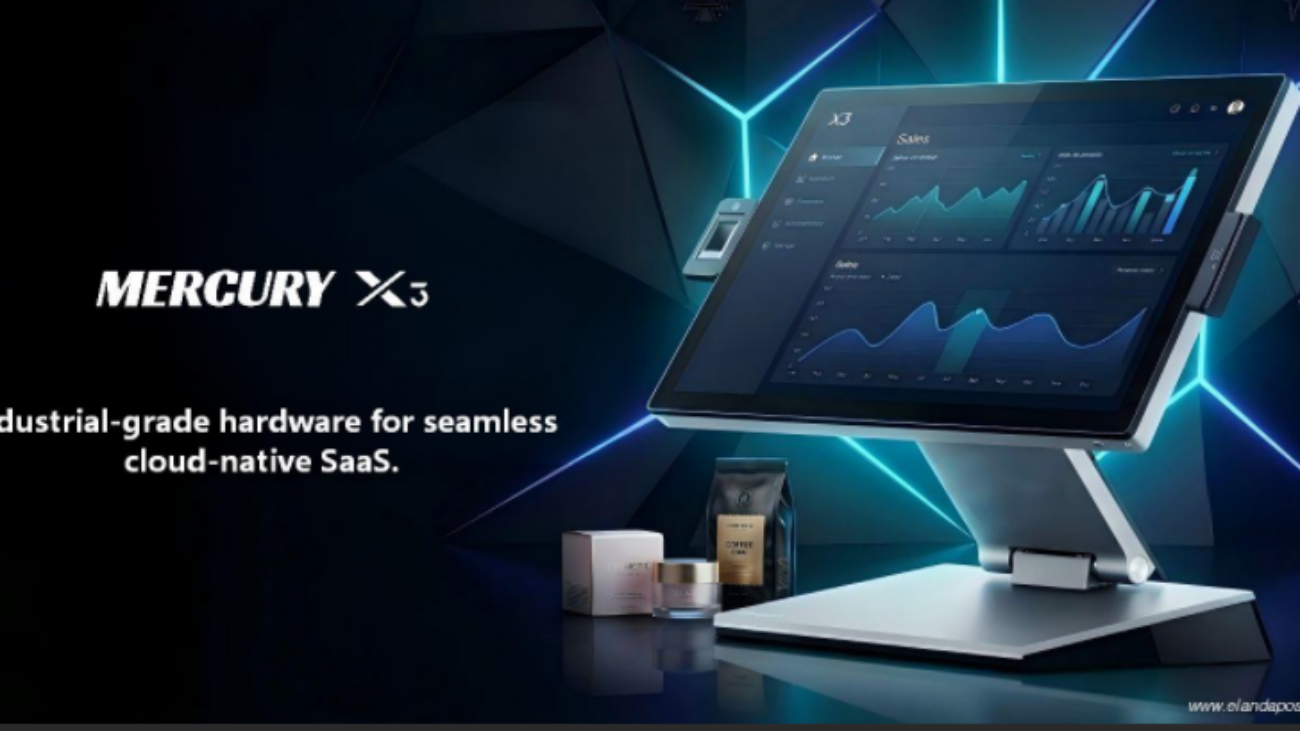
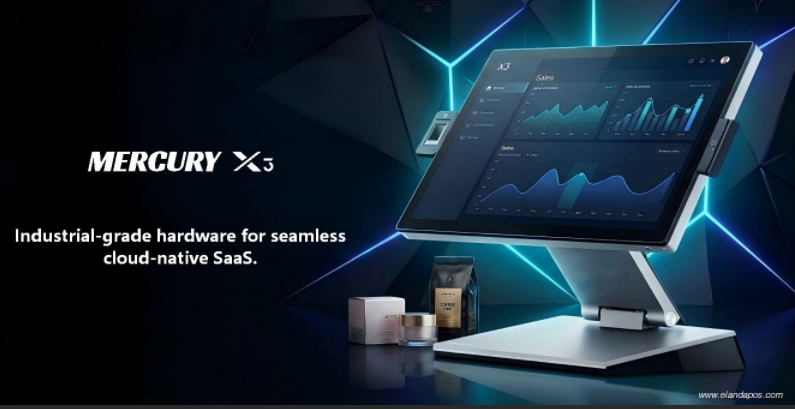
As cloud-native retail platforms and AI-driven systems continue to scale globally, the physical infrastructure layer becomes increasingly critical.

Enterprise-grade retail hardware should provide:

  • Modular architecture for rapid component replacement
  • Industrial-grade durability for 24/7 environments
  • Long lifecycle stability to reduce replacement cycles
  • Performance consistency under peak load

When hardware operates reliably, it becomes economically invisible — enabling software to deliver uninterrupted value.


5. Building Infrastructure That Protects Value

At Elanda, we design and engineer POS and self-service hardware platforms focused on operational resilience and long-term performance.

Our objective is not simply competitive pricing, but infrastructure reliability that supports sustainable growth.

In modern retail ecosystems, hardware does more than process transactions.

It safeguards revenue, brand trust, and software lifetime value.

POS and self-service innovations

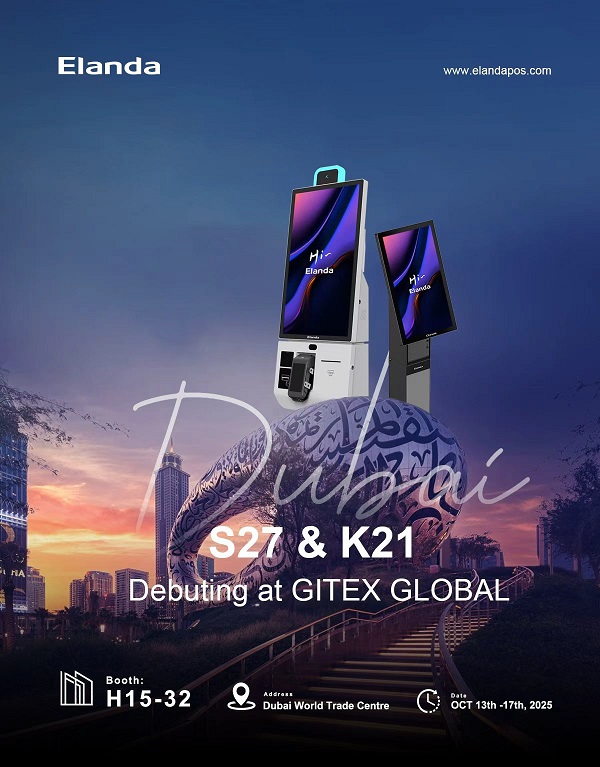
GITEX GLOBAL 2025 | Visit Elanda at Booth H15-32 in Dubai

✨ GITEX GLOBAL 2025 is just around the corner — have you planned your visit yet? ✈️

We’re excited to welcome you to explore what’s new at Elanda. Come by, say hi, and let’s turn “point of sale” into “point of smile.”

elanda gitex global 2025

�� Booth H15-32

�� October 13–17, 2025

�� Dubai World Trade Centre

�� NEW PRODUCTS DEBUT– discover our latest POS and self-service innovations that simplify checkout and empower your business.

�� FREE visitor passes available

We look forward to connecting with you and sharing fresh ideas, future-ready solutions, and a few smiles along the way.