

Most retailers think of a self service kiosk as a machine that takes orders and lets customers pay without a cashier. The hidden part is everything around it: integration, staff, maintenance and the everyday wear that nobody budgets for. This article looks at the challenges that appear after the purchase decision, and what to check before you commit to a rollout. Knowing these points in advance turns a risky deployment into a controlled one. The sections below walk through integration, hardware, staff, cost and the questions worth asking before you sign.
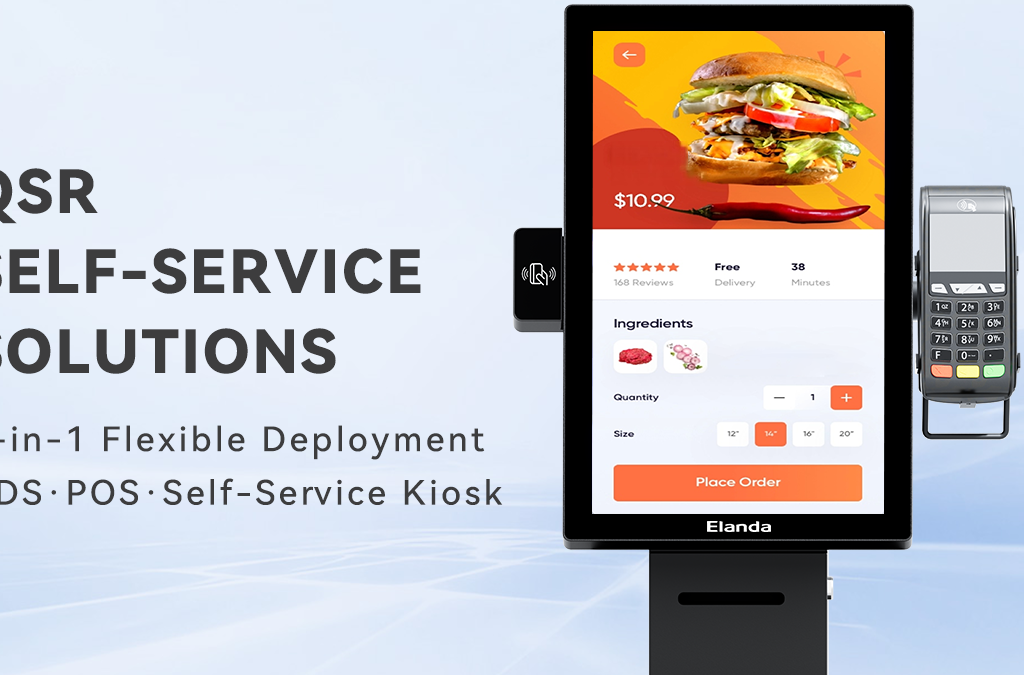
Why a self service kiosk deployment fails before it starts
A self service kiosk is not a standalone box; it has to talk to your order system, payment terminal and back-office software. Most failures happen here, before any customer touches the screen. The supplier should confirm which systems the kiosk connects to and how those connections are set up, because a kiosk that does not integrate cleanly becomes an expensive display stand. Ask for the integration path in writing, and check who is responsible if the connection breaks. Deployment problems are almost always easier to avoid than to fix once the units are on the floor. Even a well-made unit adds little value if the software behind it does not line up. This is the first thing to settle, because every other step depends on it.
The hardware realities of a self service kiosk machine
A self service kiosk machine lives in a public space and takes real punishment. Screens get touched all day, spills happen near food service, and the unit may run for longer hours than a staffed register. Check the screen durability, the build quality and how spare parts are supplied before you buy. A machine that is cheap to buy but hard to repair usually costs more over its life. Ask about the expected service life and the warranty terms, and confirm that replacement screens or printers are available when you need them. The hardware decision should be based on running cost, not the purchase price. A unit that fits a busy food-service floor is different from one suited to a quiet shop, so the right model depends on the traffic, not the brochure. The supplier should be honest about which environment each unit is built for, and a matched unit fails far less often than a generic one. That match is what keeps the hardware from being the weak point of the deployment.
How a self service pos system changes checkout staff and workflow
Introducing a self service pos system changes the job of the team at the checkout, and that is often underestimated. Staff move from keying every transaction to helping customers who are unsure, handling exceptions and keeping an eye on the units. That is a different role, and it needs a short training plan rather than an assumption that the kiosks run themselves. Decide in advance how many units one person can oversee, and how refunds or mistakes are handled through the system. When the workflow is planned before launch, the kiosks support the team instead of replacing it. Clear roles on the first day make the difference between a smooth start and a confusing one.
Why the self service kiosk pos system integration is the real work
The self service kiosk pos system combination works only when menus, pricing and payment data stay in sync. Small differences between the kiosk screen and the staffed till create confusion at the counter and in the reports. Confirm who updates content and how often, and test the connection with a pilot before a full rollout. Integration is the part that looks invisible when it works and causes the most friction when it does not. A pilot store, even with a single unit, surfaces most of these issues before the cost of a full rollout. The pilot tells you what content needs updating and where the hand-offs sit. Once those details are settled, a wider rollout follows the same pattern instead of starting over, which keeps the early problems from repeating at every site.
What the self service kiosk pos system integration really costs
The visible cost of a self service kiosk pos system is the hardware, but the real cost sits in software licensing, per-transaction fees, maintenance and the time spent keeping content up to date. Build the total running cost before you compare options. Where the volume is high, faster throughput can justify the spend; where traffic is low, a kiosk may simply add cost. A full picture of the running cost, rather than the sticker price, is what lets you judge whether the deployment is worth it for your location. This is where many projects go wrong: the hardware budget is approved while the ongoing costs are left out, and the gap only appears once the units are running. Plan for the full cost from the start so there are no surprises in the second year.
FAQ: What should you check before buying a self service kiosk?
Q1:How long does a self service kiosk typically last?
With regular care, a well-built unit runs for several years. Ask the supplier for the expected service life and how screens and printers are replaced, because those parts wear out first. Budget for spare parts as part of the original plan.
Q2:Do I need a self service kiosk machine even with a small store?
Not always. A self service kiosk machine pays off where queues are long or orders are frequent. With low traffic, the running cost can outweigh the benefit, so match the decision to the volume. Starting with a single unit in the busiest spot is a safe way to test it, and the result tells you whether to expand or not.
Q3:Who maintains a self service pos system after it is installed?
Usually the supplier handles hardware support, while your software provider manages the menu and pricing. Agree on who owns each part before you buy, so a problem is never left waiting for a hand-off between two parties. A clear support contact is part of a realistic deployment plan, and it prevents a small fault from becoming a long delay.
Elanda, founded in 2016 in Shenzhen, China, is a global POS and self-service solution provider. The company supplies self service kiosks, POS terminals, KDS and peripherals to retail, hospitality, banking, logistics, healthcare and other industries worldwide, with a focus on reliable hardware, distinctive design and responsive support. OEM/ODM customisation is available for distributors, software providers and system integrators. Across every project, the aim is the same: hardware that matches the store, the software and the way staff actually work. Choosing the right unit and the right partner is what keeps the hidden challenges under control, so the rollout runs as smoothly as the first day suggests.
If you are planning a self service kiosk rollout and want to avoid the hidden problems above, our team can help you confirm the right unit and the integration path before you place an order. Tell us which systems you run today, and we will point you to a configuration that fits your workflow rather than a generic one. A short conversation about your store is usually enough to point you in the right direction. We will confirm the unit, the integration and the running cost together.
