Mobile POS Systems: Complete Guide to Wireless Payment Processing and Business Management

Introduction to Mobile POS Systems

Mobile POS systems have transformed the retail and hospitality industries by freeing transactions from fixed checkout counters. These smartphone and tablet-based payment solutions enable businesses to process sales anywhere in the store, at pop-up events, or even at customer locations. As consumer expectations for fast, convenient transactions continue rising, mobile POS technology has become essential for businesses seeking competitive advantages in an increasingly dynamic marketplace.

The mobile POS market has experienced explosive growth, driven by advances in mobile hardware, cloud computing, and payment processing technology. Businesses of all sizes are adopting mobile POS solutions to improve customer experience, increase operational flexibility, and reduce infrastructure costs compared to traditional fixed-terminal systems.

How Mobile POS Systems Work

Mobile POS systems operate on smartphones or tablets running specialized POS applications. These apps connect to peripheral hardware including card readers, receipt printers, and barcode scanners through Bluetooth or wireless connections. Transaction data syncs with cloud-based servers in real-time, providing instant access to sales data, inventory updates, and customer information across all business locations.

The architecture of modern mPOS solutions leverages cloud computing for data storage and processing, eliminating the need for on-premise servers. This cloud-native approach provides automatic software updates, real-time data synchronization, and remote management capabilities that simplify multi-location operations.

Key Benefits

Enhanced Customer Experience

Mobile POS eliminates long checkout lines by enabling staff to process transactions anywhere in the store. Queue-busting capabilities allow employees to assist customers on the sales floor, reducing wait times and improving satisfaction. The ability to provide immediate product information, check inventory, and complete purchases creates a seamless shopping experience that builds customer loyalty.

Operational Flexibility

Unlike fixed POS terminals, mobile systems adapt to changing business needs instantly. Seasonal businesses can scale up during peak periods without permanent hardware investments. Pop-up shops, food trucks, and event vendors benefit from portable payment processing that works wherever business takes them.

Cost Efficiency

Mobile POS systems significantly reduce hardware and infrastructure costs compared to traditional terminal-based setups. Using consumer-grade tablets or smartphones as the primary computing device eliminates expensive proprietary hardware requirements. Cloud-based software eliminates server infrastructure and IT maintenance costs, while subscription pricing converts capital expenditures into predictable operational expenses.

Essential Features

Payment Processing

Modern mobile POS systems support comprehensive payment options including EMV chip cards, contactless payments, mobile wallets, and QR code payments. Integrated payment processing simplifies reconciliation and reduces the complexity of managing multiple payment providers. End-to-end encryption and tokenization ensure transaction security across all payment methods.

Inventory Management

Real-time inventory tracking synchronizes stock levels across all sales channels and locations. Mobile POS systems can update inventory instantly as transactions occur, preventing overselling and enabling accurate stock visibility. Low-stock alerts, automated reorder points, and supplier management features help businesses maintain optimal inventory levels without manual monitoring.

Customer Relationship Management

Built-in CRM capabilities enable businesses to track customer purchase history, preferences, and contact information. Loyalty program integration rewards repeat customers automatically, while targeted promotions based on purchase history drive additional sales. Customer profiles accessible at the point of sale enable personalized service that differentiates businesses from competitors.

Employee Management

Mobile POS systems include workforce management features such as time tracking, shift scheduling, and performance reporting. Role-based access controls ensure employees can only access functions appropriate to their position. Sales performance tracking by employee enables fair commission calculations and identifies training opportunities.

Industry Applications

Retail

Retail businesses use mobile POS for line-busting during peak hours, in-aisle product lookup, and clienteling on the sales floor. The combination of mobile payment processing and real-time inventory access empowers sales associates to serve customers more effectively while reducing the need for fixed checkout stations.

Restaurants and Food Service

Tableside ordering and payment improve restaurant service speed and table turnover rates. Servers can take orders and process payments at the table, eliminating trips to fixed terminals. Kitchen display system integration ensures orders transmit instantly to preparation staff, reducing errors and improving service quality.

Events and Field Sales

Trade show vendors, concert merchandise sellers, and field service businesses rely on mobile POS for payment processing in locations without traditional infrastructure. Cellular connectivity ensures reliable transaction processing regardless of venue networking capabilities, while offline mode captures transactions for later synchronization when connectivity is unavailable.

Security Considerations

Mobile POS security encompasses device security, application security, and data security. Device management features including remote wipe, passcode enforcement, and jailbreak detection protect business data if devices are lost or compromised. Application-level security includes role-based access controls and audit logging.

Payment security requires PCI DSS compliance, achieved through point-to-point encryption and tokenization that prevent sensitive card data from being stored on the mobile device. EMV compliance reduces counterfeit card fraud, while contactless payment support meets consumer expectations for fast, secure transactions.

Implementation Strategy

Successful mobile POS implementation requires careful planning. Network infrastructure assessment ensures adequate Wi-Fi or cellular coverage throughout the business premises. Hardware selection balances performance requirements with budget constraints. Staff training programs should cover both technical operations and customer interaction best practices for mobile service delivery.

Data migration from existing systems requires thorough testing to ensure inventory accuracy and customer data integrity. Parallel operation of old and new systems during transition provides a safety net while staff build confidence with the new platform.

Future Trends

Artificial intelligence integration will enhance mobile POS capabilities with predictive inventory management, automated customer insights, and intelligent staffing recommendations. Computer vision technology enables checkout-free shopping experiences, while augmented reality features could provide product information overlays visible through the mobile device camera.

Conclusion

Mobile POS systems have evolved from simple payment processing tools to comprehensive business management platforms that enhance customer experience, improve operational efficiency, and reduce costs. As technology continues advancing, mobile POS will become increasingly central to retail and hospitality operations. Businesses that adopt mobile POS technology position themselves for success in a market where flexibility, speed, and customer convenience are paramount.

Hardware Integration Options

Mobile POS systems connect with various hardware peripherals to create comprehensive transaction processing solutions. Card readers, receipt printers, barcode scanners, and cash drawers connect through Bluetooth or wireless protocols. Hardware integration flexibility allows businesses to configure systems matching their specific operational requirements.

Choosing compatible hardware requires consideration of connectivity standards, power requirements, and durability for the intended operating environment. Ruggedized peripherals withstand demanding retail and hospitality environments, while compact options suit space-constrained applications.

Data Analytics and Business Intelligence

Mobile POS platforms generate valuable transaction data that supports sophisticated business analytics. Sales reporting, inventory analysis, and customer behavior insights help businesses optimize operations and identify growth opportunities. Real-time dashboards provide immediate visibility into key performance metrics.

Advanced analytics capabilities extend to predictive insights using machine learning algorithms. Demand forecasting, optimal pricing recommendations, and customer segmentation help businesses make data-driven decisions that improve profitability and competitive positioning.

Regulatory Compliance Considerations

Mobile POS systems must comply with various regulatory requirements depending on industry and jurisdiction. Payment card industry data security standards (PCI DSS) govern how payment data is handled and protected. Healthcare applications must meet HIPAA requirements for patient data privacy. Food service operations face specific health code requirements for transaction documentation.

Working with vendors who understand regulatory requirements ensures that mobile POS implementations meet all applicable standards. Documentation of compliance measures supports audit requirements and provides evidence of due diligence in protecting sensitive data.
POS System Hardware Components: Complete Guide to Building Your Point of Sale Infrastructure

POS system hardware components form the physical infrastructure that powers modern retail and hospitality operations. Understanding these essential elements helps business owners make informed decisions when building or upgrading their point of sale systems for optimal performance and reliability.

Core POS Terminal Components

POS terminals serve as the central processing unit of your point of sale system. Modern terminals range from traditional desktop configurations to sleek all-in-one touch screen devices that integrate multiple functions into compact footprints suitable for various counter space constraints.

Terminal Types and Specifications

All-in-One Touch Screen Terminals
Integrated touch screen terminals combine CPU, display, and sometimes receipt printer into single units. These space-saving designs suit restaurants and retail stores with limited counter space. Screen sizes typically range from 15 to 22 inches, with multi-touch capabilities enabling intuitive operation. Processing power varies from basic Intel Celeron chips for simple transactions to Intel Core i5 or i7 processors for demanding applications.

Modular Terminal Systems
Modular configurations separate the computer, display, and peripherals, allowing customization and easier component replacement. This approach suits businesses anticipating future expansion or requiring specific hardware configurations for specialized applications. Upgrade paths remain open with modular systems, protecting initial investments.

Mobile POS Devices
Tablet-based mobile POS solutions enable staff to process transactions anywhere within the premises. These lightweight systems work well for tableside ordering in restaurants, pop-up retail locations, and businesses valuing customer interaction flexibility. Battery life and wireless connectivity reliability become critical considerations for mobile deployments.

Payment Processing Hardware

Card Readers and Payment Terminals
Modern payment terminals support EMV chip cards, contactless NFC payments, and magnetic stripe transactions. Integrated PIN pads enable debit card transactions requiring PIN entry. Countertop and wireless options accommodate different business configurations and customer interaction preferences.

Barcode Scanners
Handheld and presentation barcode scanners accelerate checkout processes while minimizing pricing errors. 1D scanners handle traditional barcodes, while 2D imaging scanners read QR codes and mobile device displays. Omni-directional presentation scanners enable rapid scanning without precise barcode alignment, improving throughput for high-volume retailers.

Cash Drawers
Heavy-duty cash drawers organize currency and coins while providing secure storage during business hours. Connection options include USB, serial, and printer-driven interfaces. Drawer configurations with multiple compartments accommodate various currency denominations and coin quantities.

Receipt Printing Solutions

Thermal Receipt Printers
Thermal printers dominate POS environments due to their speed, reliability, and low operating costs. Standard 80mm width printers handle most receipt requirements, while compact 58mm models suit space-constrained installations. Print speeds range from 150 to 300mm per second, with higher speeds reducing customer wait times.

Impact Dot Matrix Printers
Impact printers remain relevant for multi-part forms and kitchen printing applications where duplicate copies are required. These printers tolerate harsher environments including heat and humidity that might affect thermal print quality.

Customer Display Options

Pole Displays
Pole-mounted customer displays show transaction totals and item information during checkout. These displays build customer confidence by providing visibility into pricing and running totals. Vacuum fluorescent and LCD options offer varying visibility characteristics and mounting configurations.

Dual Screen Configurations
Operator and customer-facing touch screens enable interactive ordering, loyalty program enrollment, and payment selection. Customer displays increasingly support promotional content delivery during transaction processing, creating marketing opportunities at the point of sale.

Peripherals and Accessories

Scale Integration
Integrated weighing scales support grocery, deli, and other businesses selling products by weight. Scale data feeds directly into POS software, ensuring accurate pricing and reducing manual entry errors.

Kitchen Display Systems
Kitchen display systems (KDS) replace printed kitchen tickets with digital order displays. These systems route orders to appropriate preparation stations, track completion times, and provide real-time order status visibility. POS hardware solutions increasingly incorporate kitchen display integration for restaurant operations.

Cash Management Devices
Currency counters and counterfeit detectors streamline cash handling operations while protecting against fraud. These devices integrate with POS systems for automated reconciliation and reporting functions.

Connectivity and Networking

Wired Connections
Ethernet connectivity provides reliable, high-speed communication between POS components and backend systems. USB connections interface peripherals to terminals with standardized cabling. Serial connections remain common for legacy devices requiring RS-232 communication.

Wireless Integration
WiFi-enabled devices offer installation flexibility and support mobile operation. Bluetooth connectivity connects wireless scanners, scales, and payment terminals without cable management concerns. Network reliability considerations become paramount for wireless deployments.

Hardware Selection Criteria

Business Type Considerations
Retail environments prioritize checkout speed and barcode scanning capabilities. Restaurants require kitchen printing or display integration along with table management features. Hospitality businesses benefit from mobile POS flexibility and multi-location synchronization.

Transaction Volume
High-volume operations demand robust hardware rated for continuous duty cycles. Entry-level devices may suffice for businesses processing limited daily transactions. Hardware warranty terms and service availability should align with business criticality.

Future Scalability
Selecting hardware compatible with anticipated growth protects investment value. Consider additional location requirements, integration capabilities, and software upgrade paths when evaluating current hardware needs.

Maintenance and Support

Regular maintenance extends hardware lifespan and prevents costly failures during business hours. Establish relationships with qualified service providers for rapid response when issues arise. Keep critical spare parts on hand for quick replacement of common failure items like receipt printer rolls and scanner cables.

Conclusion

Building an effective POS infrastructure requires careful consideration of hardware components and their integration capabilities. Partner with experienced POS providers who understand your industry requirements and offer comprehensive support throughout the hardware lifecycle. The right combination of POS system hardware components creates efficient transaction processing that supports business growth and customer satisfaction.

Environmental and Durability Factors

Operating Environment Considerations
POS hardware operates in diverse environments from climate-controlled retail stores to hot, humid restaurant kitchens. Equipment selection should account for ambient conditions including temperature extremes, humidity levels, and exposure to food preparation environments. Industrial-rated hardware suits demanding applications, while standard commercial equipment suffices for typical retail operations.

Duty Cycle Ratings
Hardware duty cycle ratings indicate the intensity of use for which equipment is designed. Entry-level terminals suit businesses processing fewer than 100 transactions daily. Heavy-duty commercial equipment handles high-volume environments processing thousands of transactions. Matching hardware capabilities to actual usage prevents premature failures and reduces total cost of ownership.

Physical Security Features
POS equipment faces theft risks both from external sources and internal employee fraud. Security features including Kensington lock slots, cable management systems, and tamper-evident enclosures protect hardware investments. Payment terminals include additional security features meeting PCI compliance requirements.

Integration Capabilities

Software Compatibility
Hardware selection must consider software compatibility with your chosen POS application. Verify operating system requirements, driver availability, and API integration capabilities before committing to hardware purchases. Leading POS software providers maintain certified hardware lists ensuring compatibility and support coverage.

Third-Party Integrations
Modern POS systems integrate with numerous third-party services including payment processors, loyalty programs, e-commerce platforms, and accounting systems. Hardware must support required connectivity options for these integrations. Evaluate current and anticipated integration needs when selecting POS infrastructure components.

Cost Analysis and ROI

Total Cost of Ownership
Hardware acquisition cost represents only a portion of total ownership expense. Consider installation, training, maintenance, supplies, and eventual replacement costs when evaluating equipment investments. Higher-quality hardware often delivers lower total cost through reduced failures, longer service life, and better resale value.

Return on Investment
Calculate ROI by quantifying efficiency gains, error reduction, and customer satisfaction improvements attributable to hardware upgrades. Transaction processing speed improvements directly impact labor costs. Error reduction decreases shrinkage and improves customer satisfaction. Customer-facing displays enable promotional opportunities generating incremental revenue.

Emerging Technologies in POS Hardware

Biometric Authentication
Advanced POS terminals increasingly incorporate biometric authentication features including fingerprint scanners and facial recognition. These technologies enhance security by eliminating password vulnerabilities while enabling rapid employee authentication without manual entry. Biometric systems also support age verification for regulated product sales.

AI-Powered Analytics Integration
Modern POS hardware supports real-time analytics capabilities through integrated sensors and connected devices. Customer traffic sensors provide data for staffing optimization. AI-assisted checkout systems reduce transaction times through automated item recognition and pricing verification.

Installation and Setup Best Practices

Professional Installation Services
Complex POS installations benefit from professional setup services that ensure proper equipment configuration, network connectivity, and integration testing. Professional installers identify potential issues before they impact operations, reducing startup delays and equipment problems.

Training Programs
Effective staff training maximizes hardware investment returns. Comprehensive training covers all equipment functions, troubleshooting procedures, and maintenance requirements. Ongoing training updates address new features and software upgrades.

Documentation and Configuration Records
Maintain detailed documentation of hardware configurations, network settings, and integration parameters. This documentation enables rapid troubleshooting and simplifies equipment replacement when necessary. Configuration backups prevent extended downtime during hardware failures.

image

The Hidden Operational Cost of Cheap Retail Hardware

In today’s retail technology landscape, hardware decisions are often driven by upfront cost considerations. For many small and mid-sized businesses, consumer-grade POS devices appear to offer a practical and economical solution.

However, purchase price represents only a fraction of total cost of ownership (TCO).

When deployed in demanding retail environments, low-cost hardware can introduce operational instability that directly impacts revenue, support cost, and customer retention.


1. The Illusion of Low Upfront Cost

A lower invoice price may reduce immediate capital expenditure. But over time, hardware reliability becomes a defining factor in operational performance.

Common challenges associated with consumer-grade retail hardware include:

  • Overheating under sustained transaction loads
  • System instability during peak hours
  • Shortened component lifespan
  • Increased maintenance frequency

These issues often surface during critical business moments — when downtime is most expensive.


2. The Hardware Churn Cycle

When hardware fails, merchants rarely attribute the disruption to the physical device. Instead, they contact their software provider.

This dynamic creates a hidden risk for SaaS platforms:

  • Increased support tickets
  • Higher operational cost
  • Reduced customer satisfaction
  • Elevated churn risk

What initially appeared to be a cost-saving decision can ultimately erode long-term lifetime value (LTV).


3. Rethinking Total Cost of Ownership (TCO)

Total cost of ownership extends beyond procurement.

It includes:

  • Downtime risk
  • Maintenance and repair costs
  • Replacement frequency
  • Operational disruption
  • Brand impact

Retail leaders must evaluate hardware investments based on long-term resilience rather than short-term savings.


4. The Role of Resilient Infrastructure

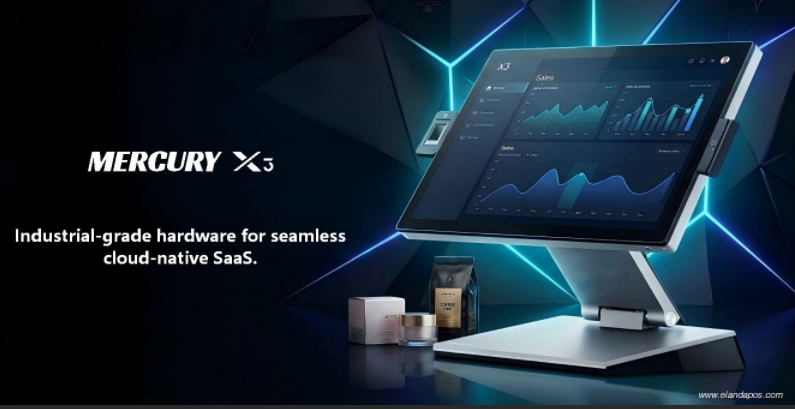
As cloud-native retail platforms and AI-driven systems continue to scale globally, the physical infrastructure layer becomes increasingly critical.

Enterprise-grade retail hardware should provide:

  • Modular architecture for rapid component replacement
  • Industrial-grade durability for 24/7 environments
  • Long lifecycle stability to reduce replacement cycles
  • Performance consistency under peak load

When hardware operates reliably, it becomes economically invisible — enabling software to deliver uninterrupted value.


5. Building Infrastructure That Protects Value

At Elanda, we design and engineer POS and self-service hardware platforms focused on operational resilience and long-term performance.

Our objective is not simply competitive pricing, but infrastructure reliability that supports sustainable growth.

In modern retail ecosystems, hardware does more than process transactions.

It safeguards revenue, brand trust, and software lifetime value.

POS and self-service innovations

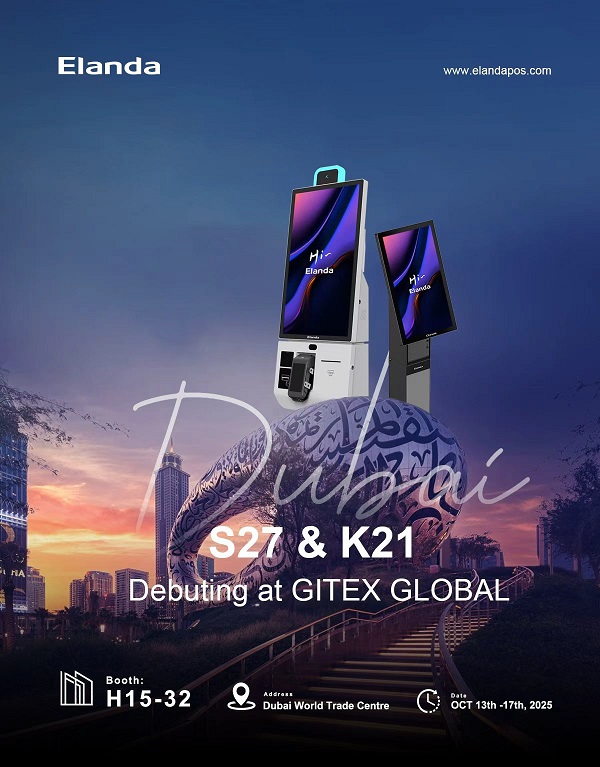
GITEX GLOBAL 2025 | Visit Elanda at Booth H15-32 in Dubai

✨ GITEX GLOBAL 2025 is just around the corner — have you planned your visit yet? ✈️

We’re excited to welcome you to explore what’s new at Elanda. Come by, say hi, and let’s turn “point of sale” into “point of smile.”

elanda gitex global 2025

�� Booth H15-32

�� October 13–17, 2025

�� Dubai World Trade Centre

�� NEW PRODUCTS DEBUT– discover our latest POS and self-service innovations that simplify checkout and empower your business.

�� FREE visitor passes available

We look forward to connecting with you and sharing fresh ideas, future-ready solutions, and a few smiles along the way.