

Android POS hardware has become easier to find and cheaper to deploy, so it is fair to ask whether a windows pos terminal still makes sense for a new rollout. The answer is not one-size-fits-all. This article looks at the specific situations where a windows pos terminal still earns its place, and where an Android device is the smarter choice, so you can decide on the basis of your own software and workload rather than a platform trend. The comparison is useful only when it is tied to the applications, peripherals and management tools you already depend on, so that is where this article keeps the focus.
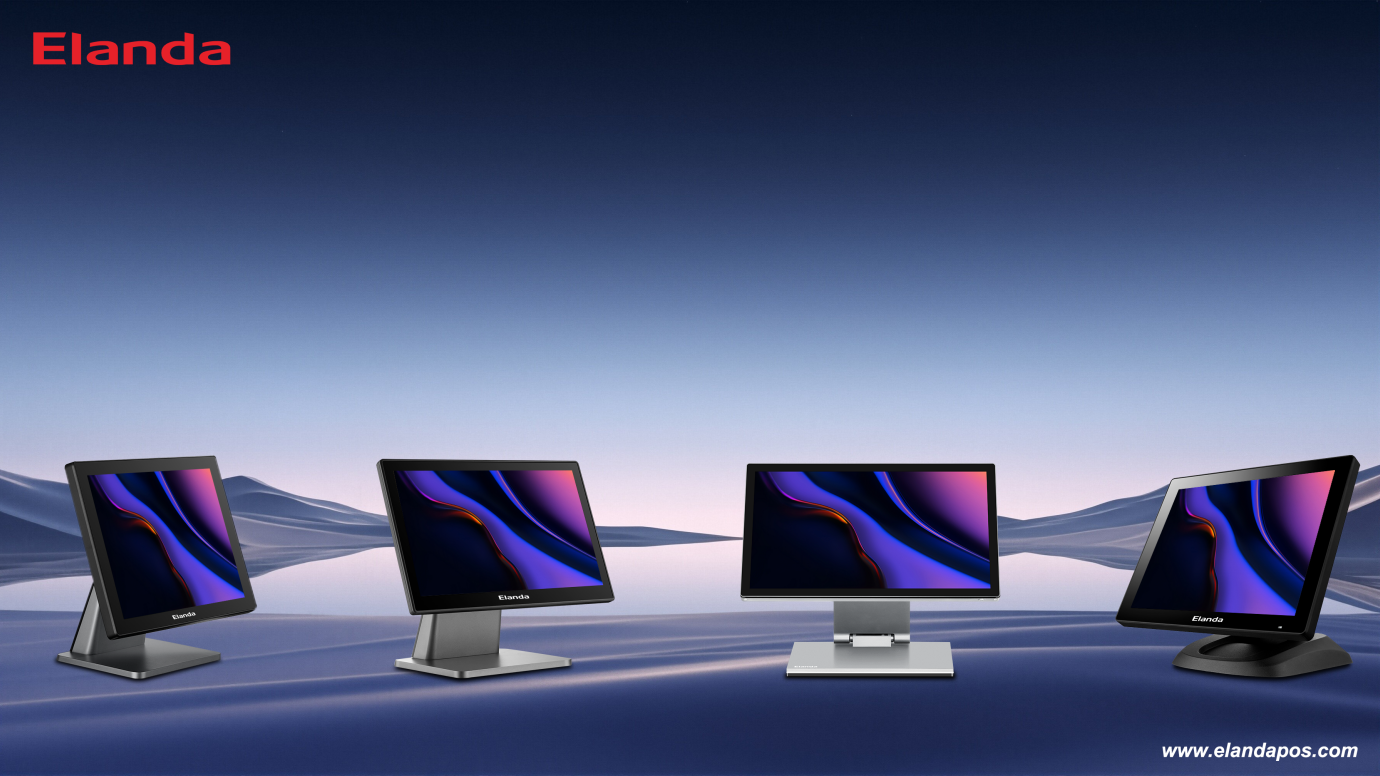
Why windows pos terminal systems still hold their ground
The main reason buyers keep choosing a windows pos terminal is software compatibility. If your retail or hospitality operation already runs a Windows-based POS application, or relies on accounting, inventory and ERP tools that only have Windows versions, staying on Windows avoids the cost and risk of reworking the whole stack. For established chains with years of transaction data and custom integrations, the windows pos terminal is usually the lower-risk upgrade path, because it lets the existing software continue to work with minimal change. For operations that cannot afford downtime while staff learn a new interface, keeping the familiar Windows workflow reduces training and support effort at the same time. That continuity is hard to price, but it is often the deciding factor for businesses upgrading a working store rather than starting fresh.
Where windows pos machine software compatibility matters
A windows pos machine earns its keep wherever third-party software is part of the daily routine. Restaurant management suites, pharmacy systems, warehouse tools and back-office accounting often ship Windows-first. When a business runs several of these together, a windows pos machine keeps one environment for all of them, which simplifies updates, licensing and IT support across the whole site. When one device has to do the work of several pieces of software, the platform that runs them all without conflict usually reduces the total cost of ownership, even if the hardware itself costs a little more. Put simply, the fewer platforms a store has to manage, the fewer small problems appear during a shift.
The case for a windows touch screen pos in busy retail
A windows touch screen pos is a practical fit for high-volume environments where staff move between sales, returns and inventory tasks throughout a shift. The touch interface shortens training time, while the Windows base keeps the familiar drivers and management tools that IT teams already know. For supermarkets and busy hospitality outlets, a windows touch screen pos with a solid processor handles peak traffic without the sluggishness that can appear on low-cost Android devices under load. With the right specification, the touch screen stays responsive through the busiest part of the day, which matters more to checkout staff than any benchmark on paper.
What to look for in a windows pos terminal build
Beyond the operating system, a windows pos terminal build should be matched to the workload. Consider the processor, RAM, storage and peripheral connections you actually need, and confirm the model supports the Windows version you plan to run. A fan-free, full-aluminium body can extend life in dusty kitchens, while a narrow-bezel screen saves counter space. A short list of the applications you must run and the peripherals you must connect will guide most of these choices, and it makes comparison with any alternative platform much clearer. Getting the build right is often what separates a smooth rollout from one that needs constant attention.
Choosing the right pos terminal windows 10 build
With Windows 10 approaching the end of mainstream support, choosing a pos terminal windows 10 configuration means planning the upgrade path. For businesses that standardised on Windows 10 and its POS drivers, buying hardware that can move to a newer Windows version later protects the investment. Confirm the supplier’s road map for the pos terminal windows 10 model before you commit, so the hardware does not become a dead end. Understanding where your current Windows version sits in its support timeline helps you time the hardware purchase instead of being forced into it.
When Android POS makes more sense than a windows pos terminal
Android POS is the better fit for lighter, more standardised workloads: simple counter sales, self-service kiosks running a single app, or small stores with few peripherals. When the software is cloud-based and the peripheral set is simple, Android is cheaper and easier to deploy at scale. If none of your critical software is Windows-only, there is less reason to pay for the extra flexibility of a windows pos terminal. The platform choice is really a software question, and answering it honestly usually settles the argument faster than comparing spec sheets. In these lighter scenarios, Android is often the better value, and a Windows unit would simply add cost without adding anything you actually use.
A practical way to compare windows pos machine and Android options
The fastest way to decide is to list your must-have software and peripherals, then check which platform runs them cleanly. If the core application and two or three integrations are Windows-only, a windows pos machine is the pragmatic choice. If everything is browser-based and simple, Android will likely serve you just as well for less. The point is to choose with your workload in mind, not to treat either platform as an automatic upgrade in every case. Once the software list is on the table, the better option usually becomes obvious.
Working with a supplier of windows pos terminal hardware
A dependable supplier of windows pos terminal hardware should help you match the build to your software and peripherals, and support you through the Windows lifecycle. Ask how the model performs under your busiest workload, whether OEM/ODM customisation is available, and how warranty and spare-parts supply are handled. For distributors, software providers and integrators, a supplier that configures to your specification is far easier to work with than one that only sells stock models. The supplier’s willingness to document the build and stand behind it is a reliable sign of how the relationship will run over time. In practice, a supplier that asks about your software before recommending a model is a sign you are dealing with a partner, not just a reseller.
Elanda, founded in 2016 in Shenzhen, China, is a global POS and self-service solution provider. The company supplies windows pos terminal hardware, self-service kiosks, KDS and peripherals to retail, hospitality, banking, logistics, healthcare and other industries worldwide, with a focus on reliable hardware, distinctive design and responsive support. OEM/ODM customisation is available for distributors, software providers and system integrators. Across every project, the aim is the same: hardware that matches the software and the way your staff actually work.
If you are planning a new POS rollout and want to compare windows pos terminal options for your software and workload, our team can help you confirm the right build and configuration before you place an order. Tell us which applications and peripherals you run, and we will match the hardware to your requirements rather than asking you to fit a stock device into your operation. Whatever the platform, a rollout that starts with the right configuration is far easier to run.
