

Choosing an android pos terminal is less about the operating system and more about how well the device fits the way a business actually takes payments. This article focuses on the practical points that decide whether an android pos terminal runs smoothly for years or becomes a constant source of small problems: software flexibility, payment support, printer and peripheral compatibility, and hardware durability. The goal is to help you shortlist a device against your own workload, not against a generic feature list. Every business is slightly different, so the device that works for one counter may be wrong for the next, which is exactly why the checklist in this article is worth working through before you compare prices. Start with what the device must do today, and the shortlist will form almost by itself.
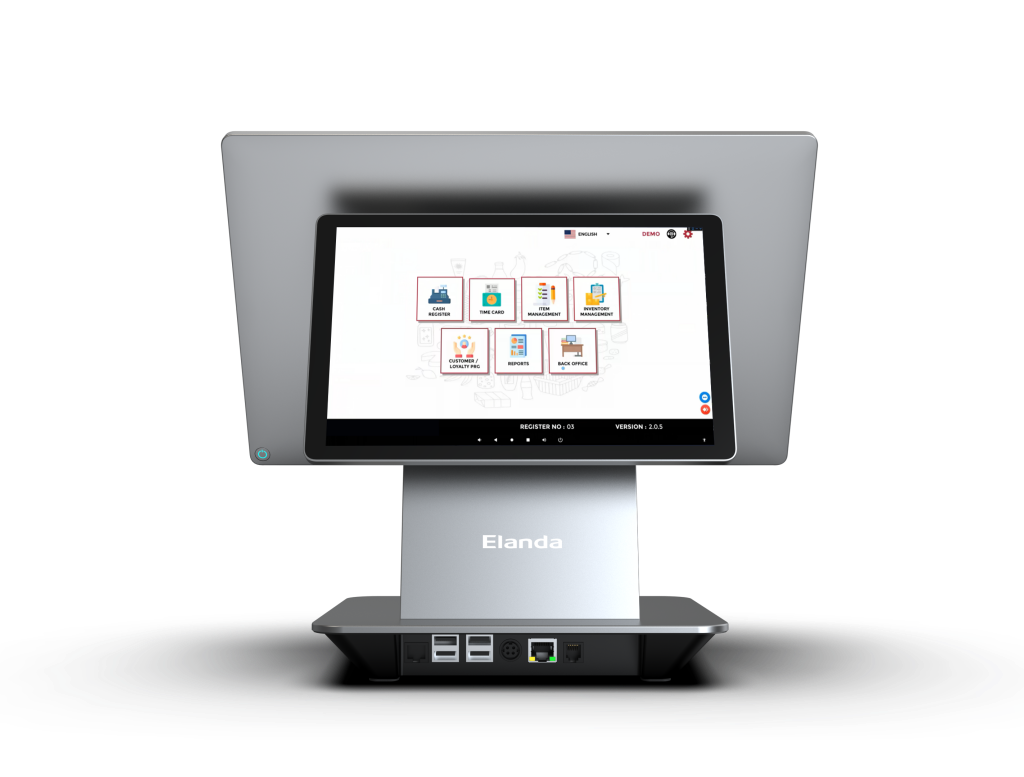
Why android pos terminal software flexibility matters
An android pos terminal is only as useful as the apps it can run. Most modern retail and hospitality software offers an Android app, but not every app is tuned for every device. Before choosing an android pos terminal, confirm that your point-of-sale software, inventory tool and loyalty programme all run well on the model you plan to buy, and ask the supplier how the device handles system updates over time. Software that lags on the hardware is a problem you will feel every day, not once. Asking for a short compatibility check before purchase is faster and cheaper than discovering a mismatch after the devices are already installed. Compatibility is the foundation; every other feature sits on top of it and only matters once the apps run cleanly.
How an android pos terminal with printer keeps checkout simple
For many businesses, an android pos terminal with printer removes the need for a separate receipt printer on the counter. Orders, receipts and payment can be handled by one device, which saves space and simplifies setup. Check the printer speed and whether the built-in printer handles the receipt width and labels you use, because that decides how smoothly the checkout line moves at busy times. A slow or awkward printer slows the whole process, however good the rest of the unit is. If receipts or labels are part of every sale, the printer should be treated as a core feature, not an afterthought. The same device can also free up counter space, which is a real advantage in cramped retail and food-service settings. For businesses that print order tickets or delivery labels as well as receipts, a built-in printer earns its keep every single shift.
Choosing an android point of sale terminal that fits your payment mix
The right android point of sale terminal should match the payment methods your customers actually use. Confirm that the device accepts contactless cards, mobile wallets and QR payments, and that the payment app you rely on is certified for the model. A mismatch here is expensive to discover after deployment, so it is worth confirming before you buy. Where the device is certified, and for which payment networks, is one of the first questions to ask a supplier. For newer markets where QR and wallet payments are common, that single point can decide whether the rollout works on day one. Beyond accepting the right methods, check how quickly the device settles each transaction, because customers notice a slow payment as much as a slow printer.
When nfc pos machine support really pays off
An nfc pos machine is a strong choice for businesses where contactless and mobile-wallet payments are common, such as quick-service restaurants, coffee shops and retail counters. Tap-to-pay shortens each transaction and reduces the friction that can make customers hesitate. If a large share of your sales comes from fast, low-value purchases, nfc pos machine support should be high on your checklist, because it directly affects queue speed and customer patience. Even a small saving per transaction adds up noticeably across a day of steady counter traffic. For venues serving a constant stream of customers, the time saved on each tap quickly adds up.
Hardware that survives an android pos terminal daily workload
A busy counter tests hardware more than any spec sheet. Look for an android pos terminal with enough RAM and storage for your apps, a screen that stays readable in bright light, and a build that holds up to long operating hours. Fan-free designs and durable casings matter in kitchens and high-traffic areas where dust and heat are part of the routine. Choosing hardware that is too weak just to save money usually costs more in downtime later. Reliability is one of the few places where paying a little more up front tends to pay for itself. For hardware that runs all day, durability and service life should be weighed against the initial price, not ignored. A few extra ports, better thermal handling and a sturdier casing can each reduce the number of small faults you deal with later.
Comparing android pos terminal options for scale and cost
If you plan to grow from one store to several, consider how an android pos terminal scales across sites. Devices that share the same app version, payment setup and remote management simplify rollout. Total cost should include hardware, peripherals, payment terminal fees and support, not just the sticker price of the device. A slightly higher hardware cost is often worth it when it removes ongoing support problems across many locations. Comparing devices site by site, with the full running cost in mind, gives a much fairer picture than comparing prices alone. Adding a location later is much easier when every site runs the same device and the same setup, so planning for scale from the start avoids rework.
Working with a supplier of android pos terminal hardware
A dependable supplier of android pos terminal hardware should confirm app compatibility, payment certification and peripheral connections before you commit. Ask how warranty, spare parts and technical support are handled, and whether OEM/ODM customisation is available for distributors, software providers and integrators. A supplier that asks about your software and payment mix before recommending a model is usually the more reliable partner. That kind of back-and-forth is normal and useful, and it reveals far more than a catalogue page. Taken together, these checks give you a shortlist you can defend to the rest of your team with confidence. When the software, payments, printer and hardware all line up, choosing becomes straightforward.
Elanda, founded in 2016 in Shenzhen, China, is a global POS and self-service solution provider. The company supplies android pos terminal hardware, self-service kiosks, KDS and peripherals to retail, hospitality, banking, logistics, healthcare and other industries worldwide, with a focus on reliable hardware, distinctive design and responsive support. OEM/ODM customisation is available for distributors, software providers and system integrators. Across every project, the aim is the same: hardware that matches the software, the payment mix and the way staff actually work.
If you are planning an android pos terminal rollout and want to confirm the right model for your software and payment mix, our team can help you match the device to your requirements before you place an order. Tell us which apps and payment methods you use, and we will point you to the right configuration rather than a generic recommendation. A short call about your apps and payment methods is usually enough to point you in the right direction.
