

In today’s fast-paced world, convenience and efficiency are paramount. Whether in retail stores, airports, hospitals, or restaurants, customers increasingly prefer solutions that let them complete tasks quickly without waiting in line. One of the most visible technologies driving this change is the self-service kiosk device.
But what exactly are these devices? How do they differ from other automated solutions like POS systems? What tasks can they perform, and how can they be made accessible to everyone? In this comprehensive guide, we’ll explore everything about self-service kiosks, their uses, technologies, and the future of the self-service kiosk market.
What Is a Self-Service Kiosk Device?
A self-service kiosk device is an interactive terminal that allows users to complete tasks without direct assistance from a human operator. These devices are designed to improve efficiency, reduce wait times, and enhance customer experience across multiple industries.
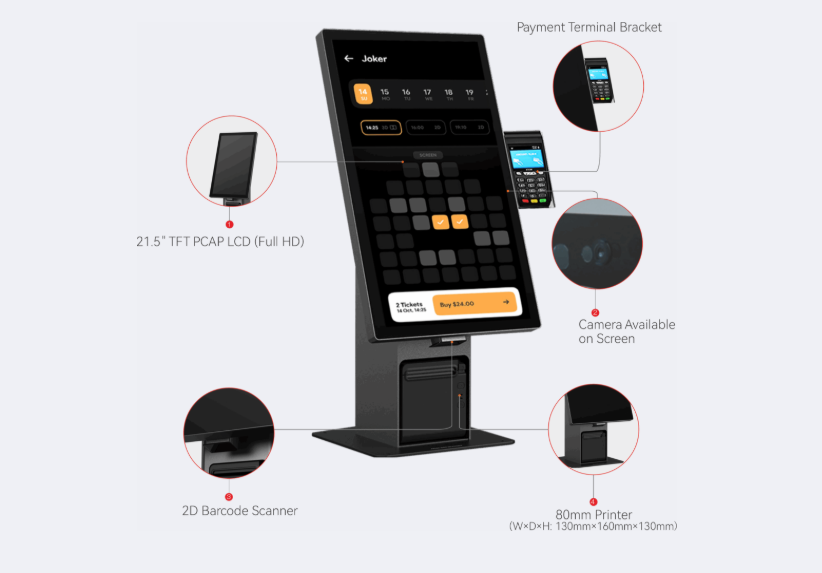
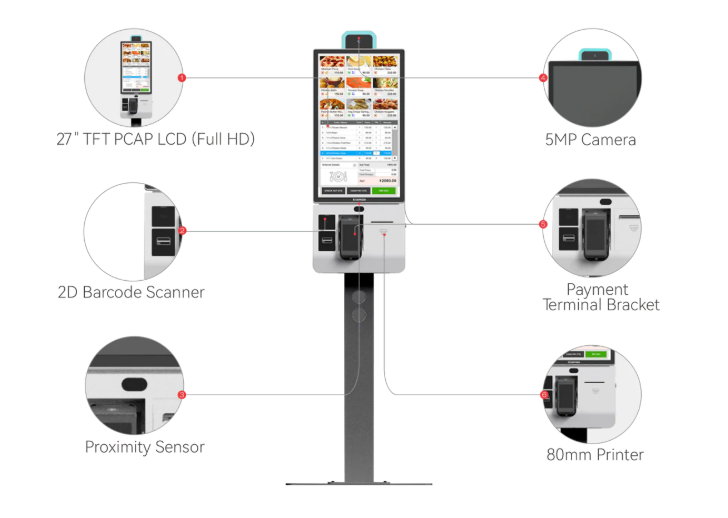
The modern kiosk often comes equipped with touchscreens, printers, barcode scanners, card readers, and sometimes biometric authentication. This hardware is paired with software that guides users through intuitive interfaces, enabling them to perform actions such as making purchases, checking in, or accessing information.
Essentially, a self-service kiosk is a standalone solution that empowers users to take control of their interactions, streamlining processes for both businesses and customers.
Not All Kiosks Are the Same: Different Types and Their Uses
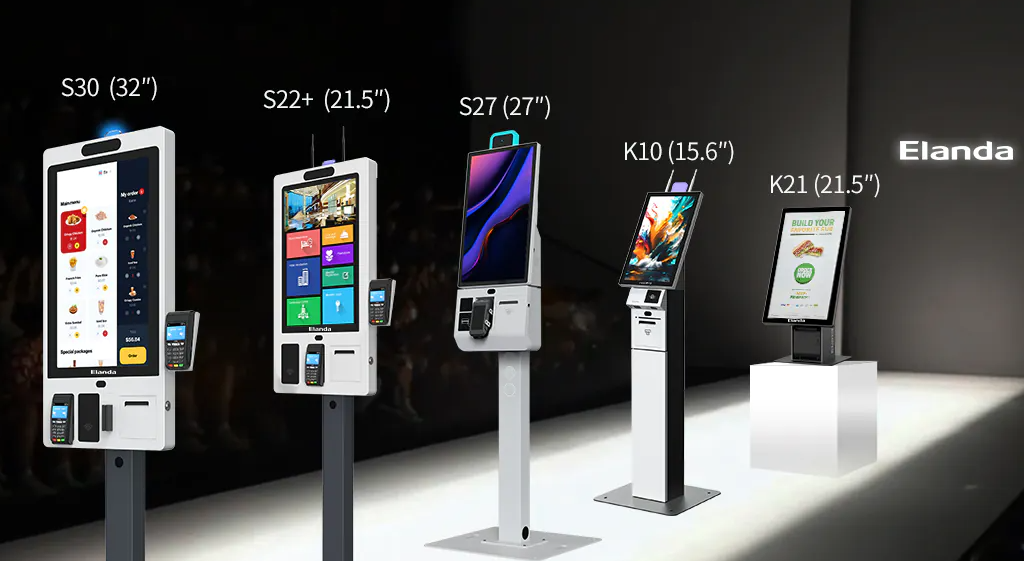
When exploring what is self-service kiosks, it’s important to note that not all kiosks are created equal. Different types of kiosks serve different purposes. Below are some of the most common types:
- Retail and POS Kiosks
These kiosks are designed to handle transactions, product selection, and payment processing. They help reduce checkout lines and improve customer satisfaction. - Information Kiosks
Found in malls, airports, museums, and hospitals, these kiosks provide directions, product details, and general information. They help users navigate complex spaces efficiently. - Hospitality Kiosks
In restaurants or hotels, kiosks allow customers to place orders, make reservations, or check-in/check-out without relying on staff. Popular chains like KFC and McDonald’s have implemented them to improve operational efficiency. - Healthcare Kiosks
These efficient medical self-service terminals help patients register, update information, schedule appointments, and even make payments. They reduce administrative burdens and improve patient flow. - Government and Public Service Kiosks
Self-service kiosks are increasingly used in government offices to handle tasks such as license renewals, ticketing, and tax payments, providing citizens with faster service.
Understanding these categories is crucial for businesses considering investing in self-service devices, as each kiosk type offers unique features and benefits.
Common Tasks Performed by Self-Service Kiosks
Modern self-service kiosks are versatile. Here’s a closer look at the tasks they commonly perform:
Providing Information and Assisting in Navigation
Many kiosks serve primarily as information centers. These devices guide users through unfamiliar spaces such as airports, hospitals, or large shopping complexes. Features often include:
- Digital maps and directions
- Event schedules or menus
- FAQs and contact information
By reducing the need for human assistance, these kiosks save time and enhance the overall customer experience.

Making Purchases and Managing Transactions
Retail and hospitality industries widely use self-service devices to handle transactions. Customers can:
- Select products or meals
- Customize orders
- Make payments via card, mobile wallet, or cash
- Print receipts
Using self-service kiosk technology ensures that transactions are quick, accurate, and efficient, reducing human error and staff workload.
Checking In and Accessing Services
In sectors like healthcare, transportation, and hospitality, kiosks provide check-in capabilities:
- Airline and train passengers check in for their trips
- Patients register and update their medical records at hospitals
- Hotel guests complete check-in and check-out without waiting in line
These features demonstrate how self service kiosk technology improves operational efficiency while enhancing user convenience.
The Accessibility Challenge: Who’s Left Out?
While self-service kiosks are widely appreciated for efficiency, they can pose challenges for certain groups:
- People with visual impairments may struggle with touchscreens or poorly designed interfaces
- Older adults may find digital interfaces confusing
- Individuals with limited mobility may not reach certain kiosks
Addressing accessibility is critical to ensure that self-service devices serve all users fairly, without excluding anyone from essential services.
How to Make Self-Service Kiosks Accessible
Accessibility should be a top priority when designing and deploying self-service kiosk devices. Some practical steps include:
- Screen Reader Compatibility
Integrate software compatible with screen readers such as JAWS to allow visually impaired users to navigate the kiosk efficiently. - Physical Accessibility
Ensure kiosks are positioned at heights accessible to wheelchair users and provide adjustable screens for varying needs. - Intuitive Design
Simplify interfaces with clear instructions, larger buttons, and minimal clutter. Use simple language for easier comprehension. - Multi-Sensory Feedback
Incorporate audio cues, tactile buttons, or vibrations to assist users who may have sensory limitations. - Staff Support
Although kiosks are designed for self-service, trained staff should be available to assist users encountering difficulties.
By prioritizing accessibility, businesses not only comply with regulations but also broaden their customer base, creating a more inclusive environment.
Conclusion
Self-service kiosks are revolutionizing the way businesses and organizations interact with their customers. From retail and hospitality to healthcare and government services, these self-service devices enhance convenience, speed, and operational efficiency.
Understanding what is a self-service kiosk device, the types available, and the tasks they can perform is critical for businesses seeking to improve customer experience. Moreover, prioritizing accessibility ensures these innovations benefit everyone, including users with disabilities.
As the self-service kiosk market continues to grow, adopting Elanda’s self-service kiosk technology will not only streamline processes but also provide a competitive edge in delivering modern, user-centric services.
FAQs
What is a self-service kiosk?
A self-service kiosk is an interactive terminal that allows users to complete tasks such as information retrieval, purchases, check-ins, and other services without needing direct assistance from staff.
What is the difference between a POS and a kiosk?
A POS (Point of Sale) system is primarily for processing transactions, whereas a kiosk can handle a broader range of tasks, including providing information, navigating services, and checking in, often independently of staff assistance.
Does KFC use kiosks?
Yes, KFC and many other fast-food chains use self-service kiosks to allow customers to place orders, customize meals, and pay without waiting in line, improving efficiency and customer experience.
Is self-service kiosk an application of AI?
Many modern self-service devices incorporate AI elements such as recommendation systems, predictive text, and intelligent navigation. While not all kiosks use AI, the technology increasingly enhances user experience and operational efficiency.
